Weather Dude http://www.wxdude.com/
Web Weather for Kids http://eo.ucar.edu/webweather/
Edheads Weather http://www.edheads.org/activities/weather/index.htm
National Geographic Forces of Nature http://www.nationalgeographic.com/forcesofnature/
Weather Channel Kids http://www.weatherclassroom.com/
Sunday, April 20, 2008

Saturday, April 05, 2008
Practice your basic math facts online!
Here are some great resources for practicing basic Addition, Subtraction, and Multiplication facts!
Best of the Best
Arcademic Skill Builders has GREAT Addition, Subtraction, Multiplication Drill and Practice Activities! Check out: Meteor MultiplicationAlien AdditionMinus MissionMultiplication Grand Prix – which can be played against other online players or you can setup a 4 person game with a password
Addition and Subtraction
Hoot’s Addition and Subtraction
Math Magician Addition
Math Magician Subtraction
Multiplication
Camel Time Table
Multiplication Roll Over
Math Magician Multiplication
Friday, March 28, 2008
Resources similar to Starfall
If you haven’t checked out Starfall go here: http://www.starfall.com/
Between the Lions http://pbskids.org/lions/games/
Clifford Interactive Storybooks http://teacher.scholastic.com/clifford1/
CrickWeb http://www.crickweb.co.uk/
Game Goo http://www.cogcon.com/gamegoo/gooey.html
Interactive Phonics and Word Study Center http://www.sadlier-oxford.com/phonics/student.cfm
Tuesday, March 25, 2008
Interwrite Resources
Free Interwrite Lessons and Activities Correlated to State Curriculum Standards- Go to http://www.interwritelearning.com/resources/lessons.php- Click on the Browse Lessons Correlated to State Curriculum Standards
Free Interwrite Tutorials and How-Tos http://www.gtcocalcomp.com/erc/interwritetutorials.htm
Background Image Library http://www.gtcocalcomp.com/erc/interwritebackgrounds.htmYou can download these and use them as backgrounds when making an Interwrite Activitiy
Interwrite Supporthttp://www.interwritelearning.com/support/index.php
Tuesday, February 26, 2008
Encyclopedia of Life is ALIVE!

"The new Encyclopedia of Life portal has gone live with more than one million species pages!
In celebration of this big event, our first EOL newsletter is available at:
Click here to read the newsletter.
You can see the new pages at http://www.eol.org/. We also invite you to take the survey at the site so you can help us improve.
We thank you for your interest and support over the past year. Enjoy."
Click here to read the newsletter.
You can see the new pages at http://www.eol.org/. We also invite you to take the survey at the site so you can help us improve.
We thank you for your interest and support over the past year. Enjoy."
Just got this email from eol.org! It looks awesome can't wait to check it out more!
Saturday, February 16, 2008
Geo-Green and Titan Wealth
Today I got sent a great link to an audio file of a Keynote presentation Thomas L. Friedman gave at NC State University for the 2008 Emerging Issues Forum. I really, really can't wait for his new book now! The direct link to the audio is: http://ncsu.edu/iei/forum/2008/audio/friedman.mp3
I listened to this great Keynote and was then looking through my Google Reader and ran across this post by David Warlick, "A Bubblin' Crude" about the amazing amounts of hydrocarbons found on Saturn's moon Titan.
Take a listen and read! Share with your students!
I listened to this great Keynote and was then looking through my Google Reader and ran across this post by David Warlick, "A Bubblin' Crude" about the amazing amounts of hydrocarbons found on Saturn's moon Titan.
Take a listen and read! Share with your students!
Saturday, February 09, 2008
Climate Alive!
"The need has never been greater for accurate and understandable information about climate change and its impacts."
Check out this website and the wonderful 7 minute video on how Asheville, NC is poised to lead this change!
http://www.climatealive.org/
Pretty cool and if I do say another great example of digital storytelling!
Check out this website and the wonderful 7 minute video on how Asheville, NC is poised to lead this change!
http://www.climatealive.org/
Pretty cool and if I do say another great example of digital storytelling!
Friday, February 08, 2008
Digital Projector

Being in technology, I sometimes fall for the latest trend or newest thing. Most of the time that is not a bad thing. Every now and then it is nice for a post to remind me of the KISS philosophy.
KEEP
IT
SIMPLE
STUPID.
dy/dan Wrote one of those posts.
Instead of using his digital projector to make a flashy powerpoint, he treated it like a old time slide projector. The results, "45 minutes running computations, discussing the results, arguing over the significance of the results — all from three photos."
I want to throw in the next quote, just because I liked it.
"No wipes, checkerboards, animations, or other PowerPoint detritus. This is the 21st-century digital projector bashed back into the 20th century."
Friday, January 25, 2008
The Simpsons Math

I first started watching The Simpson when I was in middle school. I thought is was just a simple, funny cartoon. As I grew older, I realized the show was anything but simple. I started picking up on the quick humor and some of the references to every imaginable subject. Not all of the refences, some still go over my head.
Luckily for us, Dr. Sarah J. Greenwald, from Appalachian State University, and Dr. Andrew Nestler , from Santa Monica College, picked up on this too. They have created a website called Simpson Math
http://www.mathsci.appstate.edu/~sjg/simpsonsmath/
On the site you will find a guide to the math on The Simpsons, the mathmatical background of the shows writers, and even some activity sheets. You won't find any video clips, you will have to find those somewhere else.
Reflections on Instructional Technology
I am in the process of applying to international schools and getting ready for the Search-Associates Cambridge Job Fair in February. Working overseas has always been a dream for me! As I am filling out applications and preparing for phone interviews it has dawned on me that we are doing some amazing things in our district right now. So much so that I haven't been writing to the blog or doing many other things recently. So it's time to catch ya'll up and for me to reflect a bit (you were warned!)...
Ever since NECC this summer I've been revising my thoughts on Instructional Technology and our role as Instructional Technology Specialists, Technology Facilitators, Computer Coordinators, or whatever else you want to call us. My thoughts and thinking began to shift as I listened to speakers talk about our relevance in education. And then I thought about our teachers - their needs of us and of technology are shifting, whether or not they know it yet. And most importantly, our students needs have already changed and we are not addressing that change.
It is my opinion that we (in Instructional Technology) need to be the voices for that change in education. Not only do we need to do everything we always have (troubleshoot, make walkthroughs, and lend a helping hand when something goes amiss), we also must now explain and help our educators understand the world our students are living in, how they communicate, what the tools are that they use, and what skills they need to succeed.
How do we do this?
This is the question that we have been answering in our district this year and that I have been focusing on. Below are some ways I believe we are addressing this.
Presentations to teachers and administrators - about new ideas (like this one I created for our Elementary New Teacher Orientation - Teaching and Learning in the Conceptual Age)
and new tools (like the Nova5000 and NComputing Devices).
Technology Wednesdays and Thursdays - one hour after school trainings and worksessions that allow our teachers the most important resource of all when integrating technology - TIME to LEARN and PLAY. See our current TWT offerings!
Collaboration and Communication Open-Source Applications - we are implementing WordPress, Moodle, and WikiSpaces this year. Teachers are blogging and having conversations in an online learning environment with their students as I write this!
Mini-Grants - this year we are offering mini-grants that get technology hardware in the hands of teachers. We have already given out 3 digital projectors and are in the process of distributing 29 digital cameras.
Summer Technology Conference - we offered the STC07 last year on the last two workdays in June and had an overwhelming response. We are currently organizing the one for this year.
I am so impressed with everything we have and are continuing to accomplish in our district. I really feel that through these projects we have started educators in our district moving in a new direction. Not all of them for sure - but a large majority. We are sharing with them. Collaborating with them. Communicating with them. All in new ways. We are helping them to understand and address the needs of our students.
Tuesday, January 22, 2008
Interactive Activities - Polygons 5th Grade
Geometric Solids – one of my all time favorites!http://illuminations.nctm.org/ActivityDetail.aspx?ID=70
Rainforest Maths – click on 5th Grade and then look at the bottom of the page at the Space activities – 3d shapes and 2d shapes.http://www.rainforestmaths.com/
BBC School – Shape activities, revisions, and quiz.http://www.bbc.co.uk/schools/ks2bitesize/maths/shape_space_measures.shtml
National Library of Virtual Manipulatives – all kinds of virtual manipulatives… scroll down the page.http://nlvm.usu.edu/en/nav/category_g_2_t_3.html
Monday, December 03, 2007
End World Hunger one Vocab Word at a Time!

Free Rice is a site that will donate 20 grains of rice through the United Nations to help end world hunger for every Vocabulary word you get right! Please play and help!
Saturday, December 01, 2007
Penguin Resources k2
The World of Penguins http://www.pbs.org/wnet/nature/penguins/
WebCams of Penguins http://www.penguin.net.nz/viewing/webcams.html
March of the Penguins National Geographic http://www.nationalgeographic.com/marchofthepenguins/index.html
Kidzone Penguins http://www.kidzone.ws/animals/penguins/index.htm
SeaWorld Penguins http://www.seaworld.org/infobooks/Penguins/home.html
National Geographic Kids Critters – there are a couple penguins on here!http://kids.nationalgeographic.com/Animals/CreatureFeature/Adelie-penguin
Fun and Facts about Penguins http://www.siec.k12.in.us/~west/proj/penguins/main.html
Penguin Theme http://www.cdli.ca/CITE/penguins.htm
New Zealand Penguins http://www.penguin.net.nz/
Wednesday, November 28, 2007
Arcademic Skill Builders
The Arcademic Skill Builder site is WONDERFUL and FREE! Great drill and practice activities for both Language Arts and Mathematics.
http://arcademicskillbuilders.com/
Especially cool are:
New Multiplayer Games - you can practice your Division (Drag Race Division) and Multiplication (Grand Prix Multiplication) skills against other players around the world or your friends!
Wii Formatted Games - check them out here: http://arcademicskillbuilders.com/wiilist.htm
Friday, October 26, 2007
We Need Your Support!
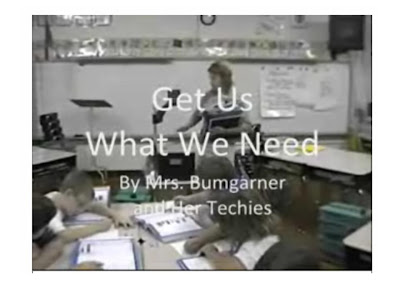 I've been working with a teacher here in our district to create a video for a contest sponsored by Interwrite Learning (Grand prize = Interactive Classroom WORTH $15,000). Mrs. Bumgarner and her students at Hildebran Elementary worked hard to write lyrics and plan out the video and they just found out today that they MADE IT TO THE FINALS!
There are five finalists in each category (K-5, 6-8, and 9-12). Between now and November 8, you can vote for their video online. Online votes will make up 30% of the final score and the winner will be announced on November 27. Individuals may vote once in each category.
HERE’S HOW TO VOTE:
- Go to: http://contest.interwritelearning.com/contest/1/
- Click Login/Register in the top right hand corner. Register to vote and then vote for Mrs. Bumgarner's video!
Click here to view voting instructions that you can print.
Please tell all of your friends to vote! Congratulations to Mrs. Bumgarner and her students!
Digg This!
Saturday, October 13, 2007
Motivating Readers
I've heard about the great training that Renaissance Learning (the company that owns Accelerated Reader) provides, but this afternoon I was finally able to take part in that training. It was so refreshing to hear RL speak about best practices for Accelerated Reader.
There are many schools that have not used the program in the manner it was designed (and I'm not speaking just about our school district- I believe that it is widely misused). Instead, it is treated as THE reading program at a school and the world seems to revolve around points.
Today, RL representatives reminded us that the program should be used to motivate students to read and that AR is simply the PRACTICE reading portion of a reading program.
Some other best practices of AR:
The goal is to foster the love of reading. We have to keep our eye on the ball and always keep in mind that the purpose of AR is to motivate readers and encourage the practice of reading as part of the reading program.
Making a successful change in the mindset of teachers and administrators will require patience (as we can't expect huge changes overnight), staff development (like today's), and committed leadership who will expect and encourage best practice usage of this program.
I'm excited about the possibilities!
Donna
Cross Posted at ITS Here For You
There are many schools that have not used the program in the manner it was designed (and I'm not speaking just about our school district- I believe that it is widely misused). Instead, it is treated as THE reading program at a school and the world seems to revolve around points.
Today, RL representatives reminded us that the program should be used to motivate students to read and that AR is simply the PRACTICE reading portion of a reading program.
Some other best practices of AR:
- Point goals should be set for each individual student, based on the ZPD reading range and the amount of time that student will be able to practice reading AT SCHOOL.
- Teacher intervention and teacher/student conferencing should be happening daily, including after each test. This teacher intervention is CRITICAL to the successful use of AR.
- ZPD (reading range) is actually not correlated to "grade level" range. Students should not be restricted to the books in this level, but teacher/student conferencing and guidance can help make each reading experience a successful one.
The goal is to foster the love of reading. We have to keep our eye on the ball and always keep in mind that the purpose of AR is to motivate readers and encourage the practice of reading as part of the reading program.
Making a successful change in the mindset of teachers and administrators will require patience (as we can't expect huge changes overnight), staff development (like today's), and committed leadership who will expect and encourage best practice usage of this program.
I'm excited about the possibilities!
Donna
Cross Posted at ITS Here For You
Friday, October 12, 2007
Some Schools Require iPods?
Cross Posted from ITS Here For You
While more and more schools districts are banning iPods, some are requiring them. According to a New York Times article the Union City school district in New Jersey will be giving out 300 iPods next month. The iPods will be given students with limited English ability to help them sharpen their vocabulary and grammar. A NJ school board member calls it “innovation”. That maybe a stretch. I think teachers have to innovate everyday just to make content relevant to them. Having the support to try something new helps too.
Using an iPod in the classroom is a matchmade in heaven. Students and adults, including me, are very passionate about there iPods. Why not use them in the classroom. If you haven’t check out what an iPod can do, you should, there are tons of educational options. First, they play mp3 files. Mp3’s can be music, but it can also be poetry, audiobooks, or historical speeches. The new iPods can also show video. You could record your own lesson or download United Streaming videos. They will display pictures. Save your PowerPoint as pictures and you can put on your iPod. There is also a Notes feature, which displays text. It displays it similar to a webpage, so you can actually have links to the audio, video, and pictures you just put on your iPod. What do you think?
Cheers…Aaron
Moodle and Battle of the Books Team
We have Moodle now in our district and it was amazing to see the student response to it yesterday. Moodle is essentially an online site that allows students and teachers to collaborate and communicate in a protected environment. Yesterday, students in the Battle of the Books Team at one of our Middle Schools were the first students to use Moodle in our county! They logged in to Moodle, navigated to their teacher's site, and clicked on Knights of the Round Table Forum. Students were then presented with a forum topic of "Introduce Yourselves". After reading a blurb written by their teacher about herself - students were asked to answer 4 questions to introduce themselves:
What is your family like?
What are some of your hobbies?
What is your favorite book?
What are your future goals?
Students were immediately engaged. They were in their environment. They communicate this way naturally. They had answered the introduction question quickly and were teaching themselves Moodle and how it worked. They were helping each other. It was amazing.
This was a wonderful experience for me - Web 2.0 in action! Engaged students. Collaboration in action. Seamlessly integrated technology. Meaningful. Real-world.
I have one word - WOW!
Subscribe to:
Posts (Atom)



