Monday, May 25, 2009

Videos to get them thinking and talking…

Two great lists of videos were put out this past week and I just had to blog about them.  Showing a variety of videos this year has been one way I’ve really gotten my teachers, administrators, and students to think and talk about new ideas in technology and education.  The two lists below are great resources and I’m so thankful to Scott McLeod and Alec Couros for putting them out there! 

Top 20 TED Talks podcasts for busy school administrators

80+ Videos for Tech. and Media Literacy

Enjoy!


Friday, May 22, 2009

Are you a “Green Educator”?

1592903964_7d35eec274_m There are some very interesting posts going on over at ISTEConnects.  The first is a post by Wes Fryer Handouts at Educator PD Workshops.  This post is near and dear to my heart as I’ve been trying for the last couple of years to move away from printing whenever possible!

The second post I wanted to mention was by Joe Corbett - Share your Tips on How to be a Green Educator.  This post evolved from the responses to the one above and is collecting data on a Google Doc.  If you have a second please go over and add your thoughts!

Image Attribution
Image: 'Soy distinto ¿y qué? / I'm different,+so+what?'
www.flickr.com/photos/8991878@N08/1592903964

Sunday, May 10, 2009

NECC 2009 and DC Capitol Hill Visits

3018986888_a69c1d59c9_m If you are going to NECC this year I strongly suggest going onto the NECC 2009 site and registering for any of the activities you want to go to.  I went on this weekend and things are filling up fast!  I really want to do the DC Capitol Hill Visits (only $25) but have a SIGILT meeting at the same time – going to see if I can do both.  The DC Capitol Hill Visits sound awesome and I would encourage everyone to think strongly about doing them!  Here is the blurb:

Join your NECC colleagues and Make Your Voice Heard on Capitol Hill! ISTE is taking advantage of NECC being in the nation's capital by providing you with the opportunity to go to the Hill and share your ideas and success stories with your Senators and Congressional Members.

A "Hill Visit" package includes:

  • Scheduled appointments to meet with congressional staff from your state. ISTE will arrange scheduled meetings for you to meet with staff for your congressional representative and senators. The number of appointments will depend on staff and space availability—a minimum of one and maximum of three appointments will be made for you.
  • "Boot Camp"—on-site NECC sessions that will prepare you for your congressional meetings to ensure that you are armed with talking points and are confident for your meetings.
  • Bus transportation to and from Capitol Hill (some walking will be required from the capitol bus stop to the congressional offices).
  • A ticket to the VIP Congressional Reception to be held the same evening at the Library of Congress.
    FUN and a T-Shirt! Hill Visits are a lot of fun and a great way to meet colleagues. Each registrant will receive a T-Shirt to wear to their meetings to show ISTE's strength on the hill.

Hill Visit coordinators will contact you just prior to NECC with specific information about the exact time and location of your meetings.

Anyone else out there considering doing this?

Image Attribution
Image: 'United States Capitol'
www.flickr.com/photos/69567805@N00/3018986888

<-- Cross posted from http://katiechristo.edublogs.org -->

Thursday, May 07, 2009

21st Century Schools

If you read anything about education and technology, you will hear the term 21st century skills. 21st century schools are being built. Classrooms are being fitted with 21st century tools. But what does it really mean?

I recently found a great site by Apple called Apple Classrooms of Tomorrow-Today, or ACOT2. The site outlines what they believe to be the 6 design principals of the 21st century high schools and the answer is not just technology.


designprin

1. Understanding of 21st Century Skills and Outcomes. A survey of business leaders came up with a list of most desirable skills; including, work ethic, collaboration, social responsibility, and critical thinking. There is nothing ground breaking about this list. These traits are timeless. The survey also cited creativity and innovation as being increasingly important. Again, these are timeless and I am confused by using the word increasingly. Innovation, or yankee ingenuity, is as american as baseball and apple pie. Apple doesn't paint the picture of 21st century skills until you click the button to show more about 21st century skills. A link to The Partnership for 21st Century Skills breaks the skills down to Core Subjects; Learning and Innovation Skills; Information, Media and Technology Skills; and Life and Career Skills.

Nailing 21st century skills down is tough. Here is my best attempt at a definition that I could post on twitter.

The ability to find, evaluate, organize, and share information and apply information to collaboratively solve problems.

2. Relevant and Applied Curriculum. Curriculum is becoming less of WHAT content is taught and more of HOW the content is taught. Apple gives six key characteristics of curriculum for 21st Century Learning
1. Involves collaboration and community
2. Based on authenticity and relevance
3. Leverages real-world tools, resources, and methodologies
4. Incorporates a rich continuum of teacher and learning strategies
5. Grounded in rich content with a 21st century context
6. Creates linkages to the outside world

3. Informative Assessment. Taking a chapter test and getting a percentage grade was normal for me in school and even while I taught. It always signified the end of learning that particular topic. Informative assessment moves to make frequent assessments in order to ensure quality learning is taking place and the desired outcome is met. Similar to using a GPS in a car. Informative assessment can be made by students, teams of students, teachers, and the entire world.

4. Culture of Innovation and Creativity.
You can't teach innovation and creativity. Schools must create a culture that embraces creativity for students and teachers.

5. Social and Emotion Connections with Students.
Textbooks don't motivate students. Meaningful relationships with other students, teachers, and adults have a great impact on learning. Schools have to be a community and care about each student and believe every student has something to contribute.

6. Ubiquitous Access to Technology. Schools must allow students to use the tools needed to get the job done. Once a year I get annoyed at the North Carolina Writing Test. They now allow the students to use a computer, but forbids the use of spell check, a dictionary, or a thesaurus. All tools that writers, professional and amateur, use everyday.

Also posted on NC DEN.

Wednesday, May 06, 2009

YouTube Playlists

1805997318_c60d5a1d08 I’ve found recently that one of the greatest tools for me is the YouTube Playlists.  I’ve started making playlists of all the videos I use for different projects, trainings, and ones I just find fun!  The playlists are a great way for me to keep everything organized and quickly find my “favorite” videos for any particular situation.

Here are some of my YouTube Playlists:

Advisory Videos http://www.youtube.com/view_play_list?p=5C6F8F69036B0356

Digital Storytelling http://www.youtube.com/view_play_list?p=60469B44B5339F7C

Public Service Announcements http://www.youtube.com/view_play_list?p=2099C40BB5F641A3

Stop Motion Animation http://www.youtube.com/view_play_list?p=E80B3D6E5E96908E

Trainings – General http://www.youtube.com/view_play_list?p=3BC479598A375B43

Presentations now on Slideshare.net

I finally had time this past weekend to work on getting some of my recent presentations up on http://slideshare.net!  I’ve put all of my presentations under the Creative Commons Attribution-Noncommercial-Share Alike License feel free to edit and use!  I’ve also updated my When the Best is Free: Images presentation.

Digital Storytelling 2009 (with YouTube videos) next next

Hope these are helpful!

Friday, May 01, 2009

Middle School Instructional Technology Handbook

We are doubling the staff at our Middle School next year and my principal and I thought it would be a good idea to create a handbook we could give to new and returning teachers explaining how Instructional Technology works. I’ve been working on the handbook for the last couple of months and it is finally ready to go! I’ve found it a great exercise in really laying out what we are doing and where we are going next.

I’ve included the handbook as an attachment to this post (I’ve taken out the How-To section and any references to passwords). Feel free to use and adapt – hope this helps some of you out there!

MS Handbook

<---Cross posted from http://katiechristo.edublogs.org --->

Friday, April 24, 2009

I got elected!

iste4

Just wanted to send a big thank you out to everyone who voted for me!  I’m so excited to be elected to the ISTE SIGILT Board as a Member At-Large Officer.  I can’t wait to get started at NECC this summer.  Thank you again everyone!

Image Attribution

ISTE Logo – http://www.iste.org

Technorati Tags: ,,,,

Monday, April 20, 2009

The Tipping Point

the-tipping-point-740155 I’ve been on break and then getting back in the swing of things last week.  One of the great things about school breaks is the ability to get a lot of reading done!  I just finished The Tipping Point by Malcolm Gladwell and it was wonderful.  If you haven’t read it yet I seriously suggest it, especially if you are going to NECC this year as he is the Keynote speaker!  I’m going to try and read Blink and Outliers before NECC.  I can’t wait to hear him speak at NECC! 

Technorati Tags: ,,,,

Saturday, April 18, 2009

Whiteboard Stop Motion Animation

I’ve been working with the 7th grade science class on their Evolution Movie project.  Essentially the students had to pick an animal and show how it evolved.  I introduced the project by showing students lots of examples of different movie styles they might want to use and by far the biggest hit was whiteboard stop motion animation. 

Here are two examples I showed:


I wasn’t sure exactly how we were going to do it but through some trial and error we figured it out.  Here is what we found works:

  1. Students first created a storyboard of what their completed animation would look like.
  2. Students then setup a camera on a tripod focused on the big whiteboard in the center of the room.  Some students decided to use a smaller whiteboard that was the size of a laptop.  This enabled those groups to rotate the entire board if needed – especially useful when the mammoth was hit by a boulder and did a 360.
  3. Students drew on the whiteboard a box showing the areas the camera was picking up.
  4. Students then drew within that area their animation.  A lot of problem solving went into when to erase an area, how to move the camera to make the scene move, and what to add and when. 
  5. Students then added their pictures to WMM changing the duration of the pictures to .125 or .25 seconds.  To do this go to Tools – Options – Advanced tab – Picture duration.  Make sure to do this before adding your pictures to the storyboard. 
  6. Students then narrated their animation to explain how their animal evolved. 

Students were so creative with this project.  Groups had brown bears changing to white in the snow, people riding elephants, giraffes necks getting longer, etc.  It was a great project and the tools and supplies you need are minimal.  Really you just need cameras, tripods, whiteboards (some groups used the little whiteboards), and whiteboard pens. 

I’ve done a lot of claymation projects in the past and I have to say that this whiteboard animation was a million times easier.  The project also took a lot less time then claymation as there is hardly any prep that goes into getting ready to create the animation. 

<---Cross post from Katie Christo's Edublogs site--->

Thursday, March 26, 2009

Sir Ken Robinson and Creativity

amindatatime I am part of a book club at my school and we are reading Mel Levine’s book A Mind at a Time.  In one of our meeting the conversation evolved to discussing how we can best highlight student’s individual strengths.  It was a great discussion. 

Afterwards I was talking to one of the participants and we were discussing creativity.  I mentioned to her the wonderful presentation Do School’s Kill Creativity by Sir Ken Robinson and suggested she watch it.  As I was searching for the video to send to her I also found this great interview from the Guardian with Sir Ken Robinson from February of this year:  http://www.guardian.co.uk/education/2009/feb/10/teaching-sats 

The entire interview is a great read.  In particular I found the following two quotes compelling:

Our approaches to education are "stifling some of the most important capacities that young people now need to make their way in the increasingly demanding world of the 21st century - the powers of creative thinking", he says.

theelementHe goes on to talk about the “element” (also the title of his new book The Element – which I can’t wait to read)

All of this prevents the next generation finding its "element". This is "the place where the things you love to do and the things you are good at come together". The "element" is essential to our wellbeing, our ultimate success and the effectiveness of our education system, he says.

I can only imagine what a school would be like where creativity and the ability for each student to find their “element” would be like… what a fabulous place.  This is where education needs to go – this is what we should be striving for. 

(Just in case you haven’t seen Do School’s Kill Creativity I’ve embedded the video below)


<---Cross post from Katie Christo's Edublogs site--->

Tuesday, March 24, 2009

Middle School Library in Google SketchUp

msdiagram1      msdiagram2

I made myself a promise that at some point I would take the time to learn Google SketchUp.  Our Middle School is getting a new library next year and we needed to make a model to show teachers.   It is not drawn to scale or any of the thousand other things I’m sure it needs to have – but I’m proud of it.  Using the libraries of pre-created models was huge.  Google SketchUp feels much easier to use than I was expecting, although there is a definite learning curve (make sure to give yourself time to learn it).  I really like the ability to change the style of the sketch and to save different scenes and create an avi animation of your sketch – that way you don’t have to worry about messing up your zooming in a presentation!

--- Cross posted from http://katiechristo.edublogs.org ---

Technorati Tags: ,,,

Tuesday, March 17, 2009

3rd Grade ESL Students and Scratch

Scratch

I work in the Middle School now but I started as an Elementary teacher and getting the chance to work with Elementary students is always such fun for me.  We recently did a project with the 3rd grade ESL students at our school that was fabulous.  The students were working on a thematic project of Following Directions.  This is especially difficult for ESL students as not only are they learning a concept but also a new language (we had ESL beginners and intermediates).  I got the opportunity to work with the students for an hour and a half block in one of our computer labs. 

I introduced Scratch to them (on a carpeted area in the middle of the computer lab) and asked them - How do you give computers directions?  We had a great quick discussion and a couple of the students had even used Scratch before.  Programming and directions all came out in the conversation and game designers and how they worked!  I then asked the students – How do you learn how to do something new on a computer?  Students talked about how they played with something to learn it.  I think this is so huge.  We don’t take advantage enough of our students ability to just jump in and try something. 

head scratch I showed students how to do some basics and then sent them to their computers.  Students were encouraged to play with the program for the next 15 minutes or so.  I then brought students back to the carpeted area and we talked about what they had learned so far.  I showed them a little bit more and sent them on their way again for 15-20 minutes.  By this point students were so engaged in what they were doing.  As questions arose that they whole group wanted to know we kept coming back and having discussions and mini how-tos that were directly related to what they wanted to know.  At the very end I reserved the last 20 minutes to show them the games and how to edit them.  The last 5 minutes we came together again and had a closing discussion about what they had learned, giving directions, and (most importantly to them) how to download Scratch.

It was just one of those special moments – the kids loved Scratch, had so much fun and learned so much in the process.  I’d love to hear your experiences with Scratch!

Image Attributions
Image: 'head scratch'
www.flickr.com/photos/92518741@N00/39300193
Image: Scratch Logo
http://scratch.mit.edu/

Technorati Tags: ,,,

Sunday, March 15, 2009

I'm a Candidate for the Member At-Large Officer Seat for the SIGILT Board!

iste Exciting news!  I'm on the ballot for the Member At-Large Officer seat on the ISTE Special Interest Group Innovative Learning Technologies (SIGILT) Board!  This is a seat I’d love to have the opportunity to fill. Voting is from now until April 10th and is open to all ISTE members.

If you are an ISTE member you can vote here: https://www.iste.org/inhouse/membership/sigs/sigilt/elections/2009/index.cfm you will need to login to the ISTE site to view the page. On the page you will find my answers to the guiding questions and my resume.  Please also remember to vote in the general ISTE Board Elections here.

Please read below to find out more about ISTE, the SIGILT, and SIGILT elections.

175654360_82c0f74faa_mWhat is ISTE? “The International Society for Technology in Education (ISTE) is the trusted source for professional development, knowledge generation, advocacy, and leadership for innovation. A nonprofit membership organization, ISTE provides leadership and service to improve teaching, learning, and school leadership by advancing the effective use of technology in PK–12 and teacher education. Home of the National Educational Technology Standards (NETS), the Center for Applied Research in Educational Technology (CARET), and the National Educational Computing Conference (NECC), ISTE represents more than 85,000 professionals worldwide. We support our members with information, networking opportunities, and guidance as they face the challenge of transforming education.”

What is the SIGILT? “SIGILT (Special Interest Group Innovative Learning Technologies) provides a venue for pioneering educators to explore promising new learning technologies and innovative practices. Learn how to implement and sustain innovation in classrooms and schools.”

2009 SIGILT Officers Election Ballot: Vote March 10–April 10 https://www.iste.org/inhouse/membership/sigs/sigilt/elections/2009/index.cfm “All of the candidates for each open SIGILT Officer seat are listed below. To vote, click in the box next to the candidate's name. Vote for only one candidate for each open position unless otherwise indicated. SIG Officers serve as critical stakeholders in helping to guide and shape strategic direction for education technology. Voting in SIG elections is important and ensures that effective leaders are selected to represent your interest group. Please take this opportunity to participate in your SIG's election process.

Image Attribution

ISTE Logo – http://www.iste.org

Image: 'Seat at the meeting'
www.flickr.com/photos/11922859@N00/175654360

Technorati Tags: ,,,,

Friday, March 13, 2009

Presentations 101

Presentations 101 I've been giving the below presentation to many of my teachers and students. Showing them new ways to give presentations that stress that the most important part of the presentation - what you are saying and not the slides behind you. It has been well received and presentations at our middle and high school are changing! Here are my resources and the description for the presentation!

Presentations 101 - Presentations are changing.  We know more now about how to give good presentations and engage our audiences. Presentations should no longer just be about "presenting" - to truly engage your audience you must become a "storyteller".  The way you design your presentation can help you make this transition. Come and learn how to use PowerPoint in ways you may never have even thought of.  http://katiechristo.pbwiki.com/Presentations-101

Image Attribution
Images combined in Picasa 3
Screenshots from some of my favorite resources from the presentation
Rivers: A 3-minute story of mixed emoticons – YouTube 
The Girl Effect - YouTube
Meet Henry – SlideShare
Thirst – SlideShare
Becoming Presentation Zen – SlideShare
How to Create a Great PowerPoint – Take 2.0
flickrCC
TedTalks

<---Cross post from Katie Christo's Edublogs site--->

Thursday, March 12, 2009

Obama's Remarks on Education

When I first started blogging, every post I made was on something I thought was wrong with education. I thought that is what you are supposed to do. Most of the blogs I followed did the same. I got sick of hearing them complain and I got sick of complaining. I now try to be positive and offer solutions. The big education news this week in Obama's Education speech. I am hesitant about blogging a political speech and figure. But I have decided to go forward and, hopefully, will keep it positive. Obama's words are in italics and my own words are in bold.

You can read President Obama's full speech at The Wall Street Journal. I am going to outline his major points and share my thoughts.

1. Cut wasteful education programs: The main idea here is to keep what works, cut what doesn't work, which will free up resources for investing in early childhood education.

2. Invest in early education programs: The plan is to invest $5 billion in growing Early Head Start and Head Start, expanding access to quality child care, and doing more for children with special needs. That part that excited me was his challenge to the states. "Develop a cutting edge plan to raise the quality of your early learning programs...If you do, we will support you with an Early Learning Challenge Grant." I feel the success of our county is due to our innovation. I think the same is true for education. I'm glad a cookie cutter program wasn't installed, but states can be innovative and get rewarded for it.

3. Adopt world-class standards: Adopting the standards will bring our curriculum's into the 21st century. Obama specifically calls "on our nation's Governors and state education chiefs to develop standards and assessments that don't simply measure whether students can fill in a bubble sheet on a test, but whether they possess 21 century skills like problem-solving and critical thinking, entrepreneurship and creativity." I would love to see multiple choice tests be replaced with a more meaningful assessment. I was hoping to hear a little more about technology in this part of the speech. I also think we need to a clear definition of 21st century skills. Problem-solving, critical thinking, entrepreneurship, and creativity aren't new skills for this century. What we are (or should) be using and how to teach them are the 21st skills.

4. Provide teachers and principals with information they need to make sure students are prepared to meet those standards. The main point of this section is about data systems that keep track of a student's education from childhood to college. In my experience, I have gotten lots of data and stats. Some of it has been very detailed on how individual studnets preformed on End of Grade type tests, including standard deviation. To me, what has always been missing is someone that take all that data and make it simple to understand and useful to the teachers.

5. Recruit, prepare, and reward outstanding teachers: A lot of this section is about teacher pay and merit pay, which are always hot topics. The major points included, "offering extra to pay Americans who teach math and science to end a teacher shortage in those subjects." Also, "treating teachers like the professionals they are while also holding them accountable." And the big one, "Good teachers will be rewarded with more money for improved student achievement, and asked to accept more responsibilities for lifting up their schools." Using logic and Econ 101, I understand the supply and demand of paying Math and Science teachers more. I have no idea, how it would go over in a school. Treating teachers like professionals is important to me, but I am not willing to put the blame on administrators alone. If you want to be treated like a professional, you have to act like a professional. Without getting on my personal soapbox, I think it is important for teachers to dress the part. I would also support merit pay, IF someone could find a way to make it fair. From what I have observed, the better teachers are asked or volunteered to take on more responsibilities. Instead of pay being tied to achievement, I'd love to see teachers get paid for the extra responsibilities they take on.

6.Promote innovation and excellence in America's schools: This is mainly focused on expanding charter schools, but I feel technology can have the greatest impact here.

7. Change the academic calendar. Obama says, "we can no longer afford an academic calendar designed when America was a nation of farmers who needed their children at home plowing the land at the end of the each day...rethink the school day to incorporate more time - whether during the summer or through expanded day programs for children who need it." I like the idea of expanded day programs, but they have to be special. I don't feel more math from the textbook is going to help. I'd love to see expanded day programs, where students can participate in the arts and in technology. It just has to be engaging, not more of the same. I am also in favor of year round schooling. I wouldn't mind seeing the summer cut from two months down to one month, as long as there were some increased days off during the school year. Any teacher will tell you, it is a long and grueling time between Christmas and spring break. Teachers and students, need sometime apart to refresh.

8. Students take responsibility for their own education. "America cannot succeed unless our students take responsibility for their own education. That means showing up for school on time, paying attention in class, seeking out extra tutoring if it's needed, and staying out of trouble." I always wonder if this is a chicken or egg situation. Are students becoming less responsible or a schools becoming less engaging. I feel students who get to use a iPod touch or laptop to learn everyday is correlated to their level of responsibility.

9. Provide every American with a quality higher education. Two quotes jumped out at me, "Never has a college degree been more important" and "simplify federal college assistance forms so it doesn't take a PhD to apply for financial aid." To me college means a four year degree, but I don't think that is the case anymore. North Carolina's community colleges offer so many options and many are in vocational fields. I feel every student is college material, just not in the sense it was once defined. I am almost always in favor simplifying things. To make the complex simple, takes a tremendous amount of creativity.

10. Learning does not end in our early 20's. Obama calls on the schools and colleges to "improve access to job training not only for young people who are just starting their careers, but for older workers who need new skills to change careers." This reminds me of one of my favorite quotes. Nothing ages so quickly as yesterday's vision of the future. Richard Corliss


Tuesday, March 10, 2009

Teacher Showcasing Moves us Forward

My 2009 Goal #6 was: “I will showcase the ways my teachers are using technology to enhance their teaching and their students’ learning”.  Last week I had the opportunity to do another Teacher Showcase at our Curriculum Meeting.  This is the third one I’ve done this year and they are so powerful. 

Our DirectionGetting the teachers up and sharing the technology projects they have been working on and showing what the students are creating is huge.  If you have the chance to do this or to encourage others to do it – Please do it!  Teachers comment on how much they enjoy it and how amazed they are to see the fabulous work our Middle School students are creating. 
This meeting we showcased two projects from our Art teacher - (1) a PhotoStory he created on Rembrandt’s Self Portraits complete with period music to introduce Self Portraits to his classes and (2) the amazing photographs his students took and enhanced in PhotoShop.  Many of the photographs he showed were better than many in a professional exhibit we had seen recently.

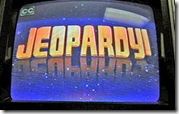
jeopardy We also showcased a fabulous Jeopardy game our Spanish teacher created for use with her students.  We even played some of the game and had a teacher who was able to figure out the Final Jeopardy question – great fun and the teachers could see the power of using this in their own classrooms.

Image Attribution

Image: 'Our Direction'
http://www.flickr.com/photos/68634595@N00/116220689

Image: 'M8 educating himself.'
www.flickr.com/photos/26612555@N07/3194890553

<---Cross post from Katie Christo's Edublogs site--->

Monday, March 09, 2009

Authors@Google: John Palfrey

If you haven’t seen this talk that John Palfrey did at Google you are missing out! I thought it was an excellent, quick overview of his book, and some great questions from the Google staff.

Enjoy!

<---Cross post from Katie Christo's Edublogs site--->

Friday, March 06, 2009

Sunday Morning Learning

I’ve so enjoyed watching the Classroom 2.0 Live and Future of Education events.  Being in India it is difficult to participate live but it has now become a Sunday morning ritual to download the latest session and watch it with my morning coffee.  If you are like me and can’t make the live events you can still watch the entire Elluminate sessions.  I like to download the Recording (full) so that I can follow along with the chat also.  It is almost as good as being there!  It’s nice that you can pause and take notes, check out websites, or um start to write a blog post about it!

Classroom 2.0 Live events are archived and available at http://live.classroom20.com/archive.html

Future of Education Interview Series are all archived and available from the Future of Education Ning.  You can use the search to find past sessions.  Also, once you join the Ning you will receive emails about events and you can use those links to find the archive.

Ted Talks is another of my favorite sites for a Sunday morning the talks are on a variety of issues and are fascinating! Ted Talks: Ideas Worth Spreading

Image Attribution
Image: 'Elementary love'
www.flickr.com/photos/10997674@N07/2339258030

<---Cross post from Katie Christo's Edublogs site--->

Tuesday, March 03, 2009

PowerPoint, Logic Puzzles, and Differentiated Instruction

thinkingredgreenandblack

One of my teachers is doing some pretty cool things with PowerPoint.  She is the 8th grade Science and Math teacher at our school.  Everyday she puts up the daily agenda including homework on a PowerPoint slide and then projects it at the beginning of class.  As class goes along she tweaks the slide so that it reflects how far they got in the lesson.  She keeps a PowerPoint file for every month and can easily go back and see what her class did on any particular day.  It also makes it very easy to give students assignments that they might have missed when they were absent. 

This teacher is one of those great teachers who is constantly learning and pushing her boundaries.  She came to me the other day with a question about how she could use technology to help her with the logic puzzles she is giving her class.  She is hoping to demonstrate to the students how we each learn differently and help them determine what way they learn best. She wanted to have the students only read the logic puzzles the first week. Then the students would only hear the logic puzzle being read to them the second week.  The third week the students would read and hear the logic puzzles.  She needed help figuring out how to record the logic puzzles for the second and third weeks. 

What we decided to do was take a screenshot of the logic puzzle from the website.  We then made the puzzle the entire size of a PowerPoint slide.  We then went to the Slideshow tab (in MS PowerPoint 2007) and used the Record Narration to record her reading the instructions.  We then simply used white boxes to cover two areas of the screenshot.  We had one covering the instructions – this won’t be shown the second week and one covering the answer.  We used Custom Animations to make everything come in on a mouse click.  It worked beautifully.  She is recording more of them now and will soon have a PowerPoint file with a ton of logic puzzles all ready to go that she can use year after year.  Let me know if you need clearer directions for doing this yourself!

Anyone else have cool ways of using PowerPoint?

Great Logic Puzzle Sites
Brain Boosters - http://school.discoveryeducation.com/brainboosters/
Braingle - http://www.braingle.com/

Image Attribution
Image: 'thinking red,green and black'
http://www.flickr.com/photos/74418275@N00/90648278

<---Cross post from Katie Christo's Edublogs site--->