Here are some pictures from the movies:
See some of the movie clips here:
http://picasaweb.google.com/ncitsgirl/NECC2007Sunday/photo#s5079712360320666850
Sunday, June 24, 2007
Just "wow"
Small town girl in the big city. Wow. I'm in awe at the size of this conference, at the idea of planning such an event. You can walk down the sidewalk, through the convention center and hear the conversations. Techie vocabulary, educational words.
I feel out of my league, not sure where I fit in. But I look forward to listening and learning.
Mostly, to absorb all I can.
I feel out of my league, not sure where I fit in. But I look forward to listening and learning.
Mostly, to absorb all I can.
Saturday, June 23, 2007
We Are Off to NECC 2007
We are off to NECC 2007 in Atlanta! We leave for Atlanta tomorrow morning. There are several of us from our district who are fortunate enough to be able to attend. We met Wednesday to go over sessions, events, etc. We are all headed in a hundred different directions and are excited! My conference planner still has about 30 things scheduled for Monday alone. Lots of yellow conflict icons. I just can't decide. What a great opportunity!
We have spent this past year refocusing on educational technology, after supporting our district through 3 years of transitioning to a new on-line student information system. While we have continued to "do" instructional technology through this time, much effort and energy has necessarily been spent on the transition. This year we have begun to return to our true passions, the kids, the teachers, learning and technology. We ended our school year with our first ever technology conference for the district (See Katie's post: Summer Technology Conference) and from that high.....We are off to NECC 2007
We have spent this past year refocusing on educational technology, after supporting our district through 3 years of transitioning to a new on-line student information system. While we have continued to "do" instructional technology through this time, much effort and energy has necessarily been spent on the transition. This year we have begun to return to our true passions, the kids, the teachers, learning and technology. We ended our school year with our first ever technology conference for the district (See Katie's post: Summer Technology Conference) and from that high.....We are off to NECC 2007
Friday, June 15, 2007
Summer Technology Conference

We just finished our first ever Summer Technology Conference! It went awesome! Our participants loved it and everyone (including us presenters) seemed to have a great time! Please visit our wiki to see what we did and find information on some of the sessions we offered - also, we have put up the comments from our evaluation sheet! Enjoy!
http://stc07.pbwiki.com/
Thursday, June 07, 2007
Buy a Mac and get a Free iPod Nano
If you are an educator you can get a FREE iPod Nano with any purchase of a new Mac!
1. Buy a Mac.Get more information here!
Buy a new MacBook, MacBook Pro, iMac, or Mac Pro using your education discount.
2. Add an iPod.
Purchase an iPod or iPod nano with your qualifying Mac and get up to $199 back after mail-in rebate.*
3. Submit your rebate.
After you receive your products, start your rebate online for fastest processing. Or download and mail the rebate form.
Special Instructions for Residents of Connecticut and Rhode Island. Please read additional terms and conditions.
Wednesday, June 06, 2007
ReCAPTCHA
Ok so I’d heard of ReCAPTCHA but I didn’t really get it until listening to this podcast from the Museum of Science http://www.mos.org/events_activities/podcasts&d=1813
It explains ReCAPTCHA and how you can use them – I’m using it to hide my email on webpages. On the right side of this page under Please Join Us – you will see the link to the ReCAPTCHA hiding my email from all those nasty spammers and helping to digitize text!
Want to hide your email address? Get the code here http://mailhide.recaptcha.net/
It explains ReCAPTCHA and how you can use them – I’m using it to hide my email on webpages. On the right side of this page under Please Join Us – you will see the link to the ReCAPTCHA hiding my email from all those nasty spammers and helping to digitize text!
Want to hide your email address? Get the code here http://mailhide.recaptcha.net/
Thursday, May 17, 2007
"So what?”
Yesterday I was asked a question that is very common to all of us in Instructional Technology.
"So what? Why is this important?"
I'm in the middle of a great project (with a great teacher) at one of my elementary schools. The project is about life cycles. In this 2nd grade classroom the students, working in 3 groups of 5 students each, have written their own story around their life cycle (Frog, Butterfly, or Sea Turtle) to be read in a Reader’s Theater style. Each group has also prepared a puppet show to illustrate their life cycle visually. We are helping the students videotape the Reader’s Theater and puppet show. We are then going to post these projects online and the students are going to share the movies with their parents at a parent night coming up soon.
"So what? Why is this important? Why use technology, why videotape?"
I had just showed the questioner the completed movie of the Reader’s Theater that the Frog group created and got the question "So what? Why is this important? Why use technology, why videotape?” I had no immediate answer - my mind went blank - I was taken by surprise as I'm sure many of us when we are asked this. I KNOW why it is important and meaningful - but try to vocalize it at that moment, that second in time. I was silent - and finally came up with the silly, most basic importance of what we did - "They learned how to work a camcorder," I said. How silly, how base, how NOT what I wanted to say.
I was lucky; this person understands the great impact that technology has in education. This person was only trying to make me think and not one of the MANY in education that ask this question because they really don't see the value and the meaning of technology-rich integrated projects.
So let me attempt here to answer the "So what?" question.
Instructional technology projects that are integrated into the curriculum are invariably many wonderful things. They:
are Student - Centered,
are Project Based Learning,
use Higher Order Thinking Skills,
allow for Multiple Intelligences,
involve students in their own learning,
thus making students excited about what they are learning,
furthermore allowing them to retain information they learn for longer periods of time - if not forever,
and
MOST importantly (at least to me) prepare them for the real-world with skills such as collaboration and problem-solving.
This learning is authentic. It is real. That is why it is SO important!
But maybe a better question is really “So why?”
“So why?” Why technology? It is true the project we are doing could be just left as a Reader’s Theater and a puppet show. It would have still been a great student-centered project with higher order thinking skills. It would have involved students; they probably would have been excited, and retained the information for a long time. So, why did we need to videotape it? Bringing technology into this project and recording the Reader’s Theater and the puppet show did something I have a very hard time defining.
There is a level of engagement, an excitement, a love of learning you see with technology. Technology engages students in their world. They use technology all the time, they are much better at it then we are. Additionally, they need technology skills to compete in the real world - communication is done with technology more and more, this is a skill our children MUST have. But there is an indefinable element here – that you have to witness to believe – that I still can’t explain or verbalize – but you can see it when it is happening.
“So, please!” – come to this classroom where students are videotaping and immediately watching their Reader’s Theater and puppet show – and tell me you don’t see the indefinable.
"So what? Why is this important?"
I'm in the middle of a great project (with a great teacher) at one of my elementary schools. The project is about life cycles. In this 2nd grade classroom the students, working in 3 groups of 5 students each, have written their own story around their life cycle (Frog, Butterfly, or Sea Turtle) to be read in a Reader’s Theater style. Each group has also prepared a puppet show to illustrate their life cycle visually. We are helping the students videotape the Reader’s Theater and puppet show. We are then going to post these projects online and the students are going to share the movies with their parents at a parent night coming up soon.
"So what? Why is this important? Why use technology, why videotape?"
I had just showed the questioner the completed movie of the Reader’s Theater that the Frog group created and got the question "So what? Why is this important? Why use technology, why videotape?” I had no immediate answer - my mind went blank - I was taken by surprise as I'm sure many of us when we are asked this. I KNOW why it is important and meaningful - but try to vocalize it at that moment, that second in time. I was silent - and finally came up with the silly, most basic importance of what we did - "They learned how to work a camcorder," I said. How silly, how base, how NOT what I wanted to say.
I was lucky; this person understands the great impact that technology has in education. This person was only trying to make me think and not one of the MANY in education that ask this question because they really don't see the value and the meaning of technology-rich integrated projects.
So let me attempt here to answer the "So what?" question.
Instructional technology projects that are integrated into the curriculum are invariably many wonderful things. They:
are Student - Centered,
are Project Based Learning,
use Higher Order Thinking Skills,
allow for Multiple Intelligences,
involve students in their own learning,
thus making students excited about what they are learning,
furthermore allowing them to retain information they learn for longer periods of time - if not forever,
and
MOST importantly (at least to me) prepare them for the real-world with skills such as collaboration and problem-solving.
This learning is authentic. It is real. That is why it is SO important!
But maybe a better question is really “So why?”
“So why?” Why technology? It is true the project we are doing could be just left as a Reader’s Theater and a puppet show. It would have still been a great student-centered project with higher order thinking skills. It would have involved students; they probably would have been excited, and retained the information for a long time. So, why did we need to videotape it? Bringing technology into this project and recording the Reader’s Theater and the puppet show did something I have a very hard time defining.
There is a level of engagement, an excitement, a love of learning you see with technology. Technology engages students in their world. They use technology all the time, they are much better at it then we are. Additionally, they need technology skills to compete in the real world - communication is done with technology more and more, this is a skill our children MUST have. But there is an indefinable element here – that you have to witness to believe – that I still can’t explain or verbalize – but you can see it when it is happening.
“So, please!” – come to this classroom where students are videotaping and immediately watching their Reader’s Theater and puppet show – and tell me you don’t see the indefinable.
Friday, April 27, 2007

One of the games that comes standard on the iPod is Music Quiz. It will randomly play a part of a song you have loaded on your iPod and give you a list of 4 songs. You have to pick the correct song in the shortest amount of time.
Just the other day, Apple released iQuiz. Which does the same thing, but with updated graphics. And now today, iQuizMaker www.iquizmaker.com was released. This allows you to make up your own quizzes and sync them to your iPod. You can also download and share quizzes on their site. Right now the software is only on the mac, but the PC version is coming in May.
Thursday, April 26, 2007
The Tested Generation
I just had to install some test generator software from a SS book. And it wasn’t Exam View Pro. This is what we need, an open source or internet based test generator. It would have to be able to read the question banks from the text book companies and allow teachers to add their own questions. It would be nice if it had a web 2.0 collaboration to it. You could end up with teachers all over the world helping make a test.
The problem would be keeping the students from getting the answers. Of course that could be eliminated by not giving test, but using projects and such for evaluation. Which, in turn, eliminates my need for the test generator website. Oh well, it was good while it lasted.
The problem would be keeping the students from getting the answers. Of course that could be eliminated by not giving test, but using projects and such for evaluation. Which, in turn, eliminates my need for the test generator website. Oh well, it was good while it lasted.
Monday, April 23, 2007
The way they grieve
The horrific events at Virginia Tech last week have stunned the world. Senseless. Unimaginable. Inconcievable loss. But I keep finding myself in a different plane of thoughts, separate from my personal feelings of grief for the families, students, and friends who are trying to survive this tragedy. Maybe it is because I've been trying so much lately to investigate the possible uses of web 2.0 tools and other technologies in the classroom.
I am truly amazed at the way this college generation is dealing with their emotions. In a CNN article from the 18th:
There are now more than 200 groups related to the tragedy on Facebook.com alone. Some have only a handful of members; others have thousands. One group, "April 16, 2007," had more than 28,000 members as of Tuesday afternoon.
http://www.cnn.com/2007/TECH/internet/04/18/vatech.online/index.html
These students, and others around the world, learned of the massacre, got in touch with family and friends to let them know they were safe, shared their grief, and have begun the healing process all with the use of technology.
Pictures, videos, instant messaging, facebook, myspace, message boards, digg, maps, online news portals, websites. Ways to communicate, to network, to mourn.
And while I am continually amazed, I am certain that for these students it was natural.
I've noticed too that they seem to also value the human touch and face-to-face interactions. They don't exist completely online. But, they each find the balance.
So, as I search the internet for some of these pictures, memorial groups, and news articles, I'm reminded that our younger generation is moving on, taking the technology tools and using them the way that fits their lives and their needs, with or without us. It's time for those of us in education to pay attention and listen to them.
I am truly amazed at the way this college generation is dealing with their emotions. In a CNN article from the 18th:
There are now more than 200 groups related to the tragedy on Facebook.com alone. Some have only a handful of members; others have thousands. One group, "April 16, 2007," had more than 28,000 members as of Tuesday afternoon.
http://www.cnn.com/2007/TECH/internet/04/18/vatech.online/index.html
These students, and others around the world, learned of the massacre, got in touch with family and friends to let them know they were safe, shared their grief, and have begun the healing process all with the use of technology.
Pictures, videos, instant messaging, facebook, myspace, message boards, digg, maps, online news portals, websites. Ways to communicate, to network, to mourn.
And while I am continually amazed, I am certain that for these students it was natural.
I've noticed too that they seem to also value the human touch and face-to-face interactions. They don't exist completely online. But, they each find the balance.
So, as I search the internet for some of these pictures, memorial groups, and news articles, I'm reminded that our younger generation is moving on, taking the technology tools and using them the way that fits their lives and their needs, with or without us. It's time for those of us in education to pay attention and listen to them.
Saturday, April 14, 2007

Thursday, April 12, 2007
Countries I Have Visited
Pretty cool and simple tool which shows all of the countries you have visited. Could be useful in education. How about a map of all the countries the kids have learned about in 7th grade. Plus, who says Google Earth doesn't count.

create your own visited countries map
create your own visited countries map
Friday, April 06, 2007
Who are we?
I found this on David Warlick's Blog - and it moved me. I'm not totally sure exactly what it is about it but for me it has meaning... The internet is a collection of us, all of us. Me, you, they, someone far away. We are the participatory culture - all of us - I saw me, do you see you?
Tuesday, April 03, 2007
United Streaming Webinars
April is full of United Streaming Webinars
April 4th
EdTechConnect with Hall Davidson - Staggeringly Great Things Mixing Media and Google Earth
April 11th
EdTechConnect with Lance Rougeux - unitedstreaming 24/7
April 18th
EdTechConnect with Steve Dembo - Widgetizing the Builders
April 25th
EdTechConnect with Jannita Demain - Do You Have the Audacity to Podcast
All webinars are at 5-6 PM EDT
You can enroll here...
https://discoveryed.webex.com
April 4th
EdTechConnect with Hall Davidson - Staggeringly Great Things Mixing Media and Google Earth
April 11th
EdTechConnect with Lance Rougeux - unitedstreaming 24/7
April 18th
EdTechConnect with Steve Dembo - Widgetizing the Builders
April 25th
EdTechConnect with Jannita Demain - Do You Have the Audacity to Podcast
All webinars are at 5-6 PM EDT
You can enroll here...
https://discoveryed.webex.com
Classroom 2.0 Social Networking Site
Classroom 2.0 is just getting going - please join and add to the discussion!
Classroom 2.0 " Welcome to the CLASSROOM 2.0 social networking site! This network is devoted to those interested in the practical application of Web 2.0 and collaborative technologies in the classroom and in their own professional development. Especially we hope that those who feel they are "beginners" will find this a comfortable place to start being a part of the community dialog and to learn more."
Monday, April 02, 2007
Free Stuff from PBwiki
I got an email from PBwiki and figured this would be a good place to share. If you don't know, PBwiki offers ad-free wiki hosting for educators.
More information can be found here...
http://pbwiki.com/edu.html
http://educators.pbwiki.com/
They are offering PBwiki Presenter Packs. So, if you're giving a presentation about wikis, they will ship you a free PBwiki t-shirt, an easy-to-read PDF about wikis, a Powerpoint with pictures of real PBwiki users, and 3 FREE Gold Premium wikis to give out to your audience.
They have also posted, self proclaimed, the coolest videos in the world. They filmed real educators using PBwiki and asked the questions: what they like, what they can improve, and common concerns. They have posted 7 videos, including:
How do you use PBwiki?
Is PBwiki safe?
How does collaboration work?
More information can be found here...
http://pbwiki.com/edu.html
http://educators.pbwiki.com/
They are offering PBwiki Presenter Packs. So, if you're giving a presentation about wikis, they will ship you a free PBwiki t-shirt, an easy-to-read PDF about wikis, a Powerpoint with pictures of real PBwiki users, and 3 FREE Gold Premium wikis to give out to your audience.
They have also posted, self proclaimed, the coolest videos in the world. They filmed real educators using PBwiki and asked the questions: what they like, what they can improve, and common concerns. They have posted 7 videos, including:
How do you use PBwiki?
Is PBwiki safe?
How does collaboration work?
Saturday, March 31, 2007
ToonDoo
ToonDoo is a wacky way to get creative with comics. You can now create your own comic strips, share them or insert them in your blogs with just a few clicks and drag-n-drops!
Check it out!
www.toondoo.com
Check it out!
www.toondoo.com
Thursday, March 29, 2007
Middle School Students Have Their Say
Researchers a NC State University's William and Ida Friday Institute for Educational Innovation conducted the "Having Our Say" Project. The project explored a middle school students' perspective on classroom teaching methods. The results will be presented during the annual meeting of the American Educational Research Association in Chicago on April 13th.
The study was simple in nature. They wanted to know what skills and tools students feel they need in order to be successful and academically engaged in school.
Before I go any further, you can watch this video and let the kids tell you.
I am going to highlight some things that caught my attention, but you can read the full press release here.
"The majority of students noted that they use a variety of technologies outside of school, and they would like to be able to use these tools in school."
"Using computers was the one activity that all ethnicities stated they liked best in school. Despite the fact that a high percentage of the students were receiving free-or-reduced lunches at school, they had access to the Internet and cell phones outside of school."
“Students clearly want to bring technology experiences that they have as part of a social network outside of school into school and apply it to the learning process as a way to increase academic engagement...”
“Demonstrating a sophisticated sense of what is needed to be successful in society, they voiced concerns about their schools not being up-to-date in terms of facilities, technologies and curricula.”
The study was simple in nature. They wanted to know what skills and tools students feel they need in order to be successful and academically engaged in school.
Before I go any further, you can watch this video and let the kids tell you.
I am going to highlight some things that caught my attention, but you can read the full press release here.
"The majority of students noted that they use a variety of technologies outside of school, and they would like to be able to use these tools in school."
- To me this is a no brainer. Student will be more productive and attentive if you let them use the tools they enjoy using. They already have the proficiency, and I think many teachers would be surprised at what they can produce
"Using computers was the one activity that all ethnicities stated they liked best in school. Despite the fact that a high percentage of the students were receiving free-or-reduced lunches at school, they had access to the Internet and cell phones outside of school."
- The top activity all ethnicities enjoyed in school was using computers. Could this be because a school is local, but the internet is worldwide? While lots of professionals talk about "closing the gap", maybe they should just ask the students. I think they have the answer.
- I wouldn't just limit this is teachers. I can't stand to hear the line, "it was good enough for me when I was in school." What they fail to realize is that they had the best tools available. Watching a reel movie on a projector was great at the time, only because there wasn't anything better. Reel movies were replaced with VCR's and it was great, again because there wasn't anything better. Now we have DVD's that can be played in a stand- alone player or a laptop, but what does my school have? VCR's. The same could be said for blackboards and overhead projectors, they were great. But you couldn't store what you wrote on the blackboard, post it on the internet for parents to see. This possible today. Why are we holding them back? Shouldn't we give them the best tools to help them succeed.
“Students clearly want to bring technology experiences that they have as part of a social network outside of school into school and apply it to the learning process as a way to increase academic engagement...”
“Demonstrating a sophisticated sense of what is needed to be successful in society, they voiced concerns about their schools not being up-to-date in terms of facilities, technologies and curricula.”
- Students aren't given the tools they need to succeed and they already know this.
Tuesday, March 27, 2007
Failing Schools See a Solution in Longer Day
Failing Schools See a Solution in Longer Day
Found this article on Digg. I think it is worth a read. Below are somethings that jumped out at me.
"Pressed by the demands of the law, school officials who support longer days say that much of the regular day must concentrate on test preparation. With extra hours, they say, they can devote more time to test readiness, if needed, and teach subjects that have increasingly been dropped from the curriculum, like history, art, drama."
I think this sums up the problem nicely, "devote more time to test readiness." It all comes down to the standardized test. A teachers job is to facilitate student learning, and once a student learns something they own it. But this is not what teachers get to do. Instead, teachers get kids to cram for a test. Once that test is over, the knowledge is gone. No learning is taking place.
"A recent report by the Education Sector, a centrist nonprofit research group, found that unless the time students are engaged in active learning — mastering academic subjects — is increased, adding hours alone may not do much."
Simple, chair time in front of a teacher does not equal learning. We must allow the teacher freedom to get the students engaged in learning. If you do this is a normal school day, the learning won't end at the ringing of the last bell.
"Given that expense, New Mexico is acting surgically. The state is spending $2.3 million to extend the day for about 2,100 children in four districts who failed state achievement tests. The money, $1,000 a student, goes for an extra hour of school a day for those children, time they spend on tutorials tailored to their weaknesses in math or reading."
Individualized education works.
"Senator Edward M. Kennedy, the Massachusetts Democrat who is chairman of the education committee, supports the idea of longer school days and is proposing $50 million a year, to rise to $150 million by 2012, under No Child Left Behind to train a corps of 40,000 teachers to help schools redesign academic content for those extra hours."
I think the big thing is the redesigning of academic content, not the additional hours.
"At Matthew J. Kuss Middle School here in Fall River, the time has bolstered instruction in reading, math and science as well as opening the way for electives in art and drama, forensics, karate and cooking — “the fun things for kids,” said Nancy Mullen, the principal — that had been pared away as the school’s standing fell."
So students something fun, they will learn about it. Without a teacher.
"At Kuss, students who were having trouble learning fractions built a scale model of a house from architectural drawings. Stephanie Baker, who teaches cooking, has posters around her room with math problems drawn from previous years’ state exams that she incorporates into her classes."
I am guessing the student had trouble learning fractions with a teacher presenting them just as numbers on an overhead. They weren't engaged. Build a scale model from a drawing, gets these kids engaged, learning is happening.
"Some parents in this working-class community, like John Chaves, father of a seventh-grader, Mindy, said they supported more time at school simply because so few are home earlier to welcome their children. “We’re never home at the time that they’re home, so at least we know where our kids are,” Mr. Chaves said."
I grew up in a great family and always look forward to going home. Latter in life, I realized not everyone was/is as lucky as me. Extra time in school could be a huge benefit to those kids who don't have a loving environment waiting for them at home.
Found this article on Digg. I think it is worth a read. Below are somethings that jumped out at me.
"Pressed by the demands of the law, school officials who support longer days say that much of the regular day must concentrate on test preparation. With extra hours, they say, they can devote more time to test readiness, if needed, and teach subjects that have increasingly been dropped from the curriculum, like history, art, drama."
I think this sums up the problem nicely, "devote more time to test readiness." It all comes down to the standardized test. A teachers job is to facilitate student learning, and once a student learns something they own it. But this is not what teachers get to do. Instead, teachers get kids to cram for a test. Once that test is over, the knowledge is gone. No learning is taking place.
"A recent report by the Education Sector, a centrist nonprofit research group, found that unless the time students are engaged in active learning — mastering academic subjects — is increased, adding hours alone may not do much."
Simple, chair time in front of a teacher does not equal learning. We must allow the teacher freedom to get the students engaged in learning. If you do this is a normal school day, the learning won't end at the ringing of the last bell.
"Given that expense, New Mexico is acting surgically. The state is spending $2.3 million to extend the day for about 2,100 children in four districts who failed state achievement tests. The money, $1,000 a student, goes for an extra hour of school a day for those children, time they spend on tutorials tailored to their weaknesses in math or reading."
Individualized education works.
"Senator Edward M. Kennedy, the Massachusetts Democrat who is chairman of the education committee, supports the idea of longer school days and is proposing $50 million a year, to rise to $150 million by 2012, under No Child Left Behind to train a corps of 40,000 teachers to help schools redesign academic content for those extra hours."
I think the big thing is the redesigning of academic content, not the additional hours.
"At Matthew J. Kuss Middle School here in Fall River, the time has bolstered instruction in reading, math and science as well as opening the way for electives in art and drama, forensics, karate and cooking — “the fun things for kids,” said Nancy Mullen, the principal — that had been pared away as the school’s standing fell."
So students something fun, they will learn about it. Without a teacher.
"At Kuss, students who were having trouble learning fractions built a scale model of a house from architectural drawings. Stephanie Baker, who teaches cooking, has posters around her room with math problems drawn from previous years’ state exams that she incorporates into her classes."
I am guessing the student had trouble learning fractions with a teacher presenting them just as numbers on an overhead. They weren't engaged. Build a scale model from a drawing, gets these kids engaged, learning is happening.
"Some parents in this working-class community, like John Chaves, father of a seventh-grader, Mindy, said they supported more time at school simply because so few are home earlier to welcome their children. “We’re never home at the time that they’re home, so at least we know where our kids are,” Mr. Chaves said."
I grew up in a great family and always look forward to going home. Latter in life, I realized not everyone was/is as lucky as me. Extra time in school could be a huge benefit to those kids who don't have a loving environment waiting for them at home.
Degree = Qualified?
One thing that constantly bothers me in education is the fact that experience means nothing. Jobs in education are solely based on a Degree. In the business world it is the opposite. You can climb the corporate ladder based on how well you work, your experience. For the most part, the best employees get the promotions. It makes sense.
What about education? Is it the best teachers that get to be a principal? Nope, not at all. All you need is an online degree in Administration. Your prior experience, good or bad, means nothing. Once you have that piece of paper, you are principal material.
The same is true for teacher assistants. Within the last 5 years, teacher assistants in North Carolina were made to go back to school for an Associates of Arts degree. Even those who have 25 years of experience were made to go back. Again, they weren't qualified until they jumped through the right hoops and got that piece of paper.
The same is coming true for preschool teachers. Policy makers are increasing requirements that all preschool teachers have at least a BA degree in early childhood education. This sounds great on paper.
But...
College degrees DO NOT EQUAL better teachers.
College degrees DO NOT EQUAL better principals.
So...
So how do we start hiring based on the best person for the job and not the pieces of paper they have?
What about education? Is it the best teachers that get to be a principal? Nope, not at all. All you need is an online degree in Administration. Your prior experience, good or bad, means nothing. Once you have that piece of paper, you are principal material.
The same is true for teacher assistants. Within the last 5 years, teacher assistants in North Carolina were made to go back to school for an Associates of Arts degree. Even those who have 25 years of experience were made to go back. Again, they weren't qualified until they jumped through the right hoops and got that piece of paper.
The same is coming true for preschool teachers. Policy makers are increasing requirements that all preschool teachers have at least a BA degree in early childhood education. This sounds great on paper.
But...
College degrees DO NOT EQUAL better teachers.
College degrees DO NOT EQUAL better principals.
So...
So how do we start hiring based on the best person for the job and not the pieces of paper they have?
Monday, March 26, 2007
Real Life
Don't you just love it when a teacher "gets it", and the students "get it" and everything falls into place and LEARNING happens?
http://davidwarlick.com/2cents/2007/03/25/teachers-tell-the-best-stories/
http://davidwarlick.com/2cents/2007/03/25/teachers-tell-the-best-stories/
Saturday, March 24, 2007
Anonymous
The author of this post is not Donna as the post signature implies. And I’m certainly not a public school educator posting something related to education “on the outside” of our local server. No, I’m simply known as Anonymous. Just some unknown online presence whose background is hidden behind the classic anonymous veil so she can quietly be part of the conversation.
And if I was a public school educator with some strong opinions about education- where it’s been, where it’s going, what’s gotta change- I wouldn’t step out on a limb and put it into digital text out there for the world to see…or quote…or bookmark…or (forbid!) SHARE. That would be wrong. Inappropriate. Unprofessional. Insubordinate, really. Certainly not acceptable.
And if I was this educator, I most certainly would not post statements like this for everybody to see:
· We are failing our students. They come prepared to take their learning to the next level, only to be boxed in with the same old learning tools to try and live up to the same old learning standards.
· Our educational leaders are failing to lead. We rely on them to think forwardly, to inspire us, to guide us through the implications of change. Seems our students are doing the leading here. ‘Bout time to listen to them, huh?
· Education has a new definition. A new story. A new path. A new audience. A new accountability standard (and no, that does not mean end of grade tests).
· We cannot accept the same old answer. You can’t just say, “I’m not good at technology.” What does that even mean???? Stop with the excuses. Dig your heels in, explore the possibilities, determine the needs, change what needs to be changed, advocate for it. For you. For them. They deserve it.
Since I am Anonymous, I can say how disappointed I am in the stagnant nature of our schools, of our misguided fear, and of our determination to let that fear stop us from sharing, learning, exploring, and yes, even making mistakes. After all, shouldn’t we be risk takers?
Would it be hard? Absolutely. Wouldn’t it be the most challenging thing we’ve ever done? I’m pretty certain it would be. It’s growth. Huge growth. But just as we tell our students, “Don’t worry. We’ll be there WITH YOU while you grow and learn.” That’s what we could do for each other, you know. Be there for each other. Talk about all of this, debate it, explore it, SHARE it.
Oh, wait. Share?
Hmmm…there’s an idea.
Anonymous
And if I was a public school educator with some strong opinions about education- where it’s been, where it’s going, what’s gotta change- I wouldn’t step out on a limb and put it into digital text out there for the world to see…or quote…or bookmark…or (forbid!) SHARE. That would be wrong. Inappropriate. Unprofessional. Insubordinate, really. Certainly not acceptable.
And if I was this educator, I most certainly would not post statements like this for everybody to see:
· We are failing our students. They come prepared to take their learning to the next level, only to be boxed in with the same old learning tools to try and live up to the same old learning standards.
· Our educational leaders are failing to lead. We rely on them to think forwardly, to inspire us, to guide us through the implications of change. Seems our students are doing the leading here. ‘Bout time to listen to them, huh?
· Education has a new definition. A new story. A new path. A new audience. A new accountability standard (and no, that does not mean end of grade tests).
· We cannot accept the same old answer. You can’t just say, “I’m not good at technology.” What does that even mean???? Stop with the excuses. Dig your heels in, explore the possibilities, determine the needs, change what needs to be changed, advocate for it. For you. For them. They deserve it.
Since I am Anonymous, I can say how disappointed I am in the stagnant nature of our schools, of our misguided fear, and of our determination to let that fear stop us from sharing, learning, exploring, and yes, even making mistakes. After all, shouldn’t we be risk takers?
Would it be hard? Absolutely. Wouldn’t it be the most challenging thing we’ve ever done? I’m pretty certain it would be. It’s growth. Huge growth. But just as we tell our students, “Don’t worry. We’ll be there WITH YOU while you grow and learn.” That’s what we could do for each other, you know. Be there for each other. Talk about all of this, debate it, explore it, SHARE it.
Oh, wait. Share?
Hmmm…there’s an idea.
Anonymous
Friday, March 23, 2007
Infinite Thinking Machine
Here is a very cool site/show. Google has made this to help teachers and students thrive in the 21st century. So far, they have about 5 show with some extras. I first watch (and found the site) after watching ITM 5, Calculate This. The show format is pretty basis. It starts by giving some tips, tricks, and questions. It then went to an interview segment showcasing a teacher using Google's spreadsheets.
This is something I really want to do in my district, just need to find some recruits to help me.
This is something I really want to do in my district, just need to find some recruits to help me.
Thursday, March 22, 2007
Engaging Digital Natives Diigo Site
This is an educator's diigo site with links to Web 2.0 applications. It is wonderful!! http://groups.diigo.com/groups/edn
Tuesday, March 20, 2007
Do you prefer Laptops or Desktops?
Found an online poll creator that you can use on your blog! Try it out below:
Here is the website: http://www.vizu.com/index.html
Here is the website: http://www.vizu.com/index.html

Monday, March 19, 2007
QuickTime VR of Mars

According to Apple, a QuickTime VR enables viewers to explore virtual worlds using nothing more than a computer and mouse. Essentially it is a picture that you can rotate 360 degrees. Enjoy Mars!
http://www.fotoausflug.de/en-mars.html
Saturday, March 17, 2007
To host or be hosted???
I was just over at HitchHikr reading some of the recent blog posts about the NCAECT conference. It really was a treat to see David Warlick and Will Richardson in the same room talking about where we need to go with technology and education. I learned a lot about podcasting and I loved the fact there were a lot more collaborative sessions. I love hearing the conversations around what is working and what isn't working in different districts. It is amazing to me how far some districts are along this path. We are getting there. I feel the biggest struggle we face is figuring out how to deal with the protection issues of hosting vs. not hosting the web 2.0 content. It seems from the conversations I heard that this was true elsewhere also.
I am a proponent of opening it up - letting teachers use any and all tools that will help them teach students better. No matter how great your engineers are (and ours are wonderful) you are never going to be able to produce easy to use tools as quickly as companies like Google can, it just isn't possible.
Some would argue that you just can't allow that because we can't control the content that gets put out there. That is true. We won't be able to control it. But we CAN provide teachers with the training they need to use wikis, blogs, and other web 2.0 tools effectively. I believe teachers are professionals. Capable of using these tools - we just need to allow access and provide the training.
Technorati Tags: ncaect2007 ncaect ncaect07
I am a proponent of opening it up - letting teachers use any and all tools that will help them teach students better. No matter how great your engineers are (and ours are wonderful) you are never going to be able to produce easy to use tools as quickly as companies like Google can, it just isn't possible.
Some would argue that you just can't allow that because we can't control the content that gets put out there. That is true. We won't be able to control it. But we CAN provide teachers with the training they need to use wikis, blogs, and other web 2.0 tools effectively. I believe teachers are professionals. Capable of using these tools - we just need to allow access and provide the training.
Technorati Tags: ncaect2007 ncaect ncaect07
Friday, March 16, 2007
SOUND IN!

I just finished helping a class of 4th graders do a 4 slide PowerPoint on a famous athlete. The students did a great job and (horror of horrors) I let them add sounds - it is amazing how much the students loved the silly and annoying sounds in PowerPoint STILL! I thought ya know, maybe PowerPoint has been out for long enough that the novelty of the canned sounds would have dissipated - turns out NO!
Kids love SOUND!
They love the audio - we have to work harder to get classes podcasting, vodcasting, using visual communicator and anything else we can think of - we SHOULD be tapping this!
I'm working with a group of 1st graders next week who will be recording their own ending to a story. The more I think about it the more I want to not only allow them to record their own voices but maybe use this time to also record their own special effects! How cool would that be!
Thursday, March 15, 2007
Teacher Recruitment
I have always said that I could solve the teacher shortage. It is simple, start by doubling the salary. Then you will start to get some people interested. But, we all know the likely hood of that happening.
I was just at the NCAECT conference, which focuses on technology in education. While a collegue and I were discussing a session, she said "That's why you left education. You weren't having fun." I don't remember the reason or even what we were talking about, but it was at that moment I realized that was reason I left. It took me three years to figure that out.
Now, I really didn't leave education. I just left the classroom for the Technology Department. One of the first things I saw in my new job was a Smart Board or Activboard. I was impressed. In fact, I said "I would have taught another year if I had one of these in my classrooms." Since I am in the under 30 crowd we pretty much grew up with technology. This is even more true with the younger generations. Plus, in case you didn't get the memo, computers are cool now. So all this got me thinking...
If I am fresh from college...
fresh from facebook...
fresh from im converstaions...
fresh from skype calls
fresh from video chats
fresh from campus emerged with technology...
fresh from carrying a laptop...
Why in the hell would I want to step back in time into a classroom...
with no wifi
with no lcd projector, just a marker and an overhead projector
with no laptop, just a desktop with Windows 98. No you can't use yours.
with no IM
with people who refuse to or can't use email
with a strictly filtered internet.
with a campus whose big technology push was going from chalk to dry erase markers
Maybe younger generaations aren't going in to education and are leaving education because they are digital natives trying to teach other digital natives with analog tools. Doesn't sound like to much fun to me.
education, technology, instructional k12
I was just at the NCAECT conference, which focuses on technology in education. While a collegue and I were discussing a session, she said "That's why you left education. You weren't having fun." I don't remember the reason or even what we were talking about, but it was at that moment I realized that was reason I left. It took me three years to figure that out.
Now, I really didn't leave education. I just left the classroom for the Technology Department. One of the first things I saw in my new job was a Smart Board or Activboard. I was impressed. In fact, I said "I would have taught another year if I had one of these in my classrooms." Since I am in the under 30 crowd we pretty much grew up with technology. This is even more true with the younger generations. Plus, in case you didn't get the memo, computers are cool now. So all this got me thinking...
If I am fresh from college...
fresh from facebook...
fresh from im converstaions...
fresh from skype calls
fresh from video chats
fresh from campus emerged with technology...
fresh from carrying a laptop...
Why in the hell would I want to step back in time into a classroom...
with no wifi
with no lcd projector, just a marker and an overhead projector
with no laptop, just a desktop with Windows 98. No you can't use yours.
with no IM
with people who refuse to or can't use email
with a strictly filtered internet.
with a campus whose big technology push was going from chalk to dry erase markers
Maybe younger generaations aren't going in to education and are leaving education because they are digital natives trying to teach other digital natives with analog tools. Doesn't sound like to much fun to me.
education, technology, instructional k12
Monday, February 05, 2007
Schools Need Vista Ultimate?
XP is simple, Home or Professional. Most people could get the home edition and never know the difference. At school, we needed the additional features of Professional. No big deal, everything in the Home version was in the Professional version.
Vista ain't so simple. Teachers and students really like to do digital storytelling, make movies and claymation. Windows Movie Maker and the new (and overdue) Windows DVD Maker is perfect and both are available in Vista Home Premium. The IT department also needs some advanced profile and group policy support. Both are available in Vista Business. However, Vista Business lacks Window Movie Maker and Windows DVD Maker. The solution, pay up for Windows Vista Ultimate or find third party solutions for movie making and dvd authoring.
Here are the Vista comparison charts I used.
www.microsoft.com/windows/products/windowsvista/editions/choose.mspx
reviews.cnet.com/4520-3672_7-6687907-1.html?tag=txt
Vista ain't so simple. Teachers and students really like to do digital storytelling, make movies and claymation. Windows Movie Maker and the new (and overdue) Windows DVD Maker is perfect and both are available in Vista Home Premium. The IT department also needs some advanced profile and group policy support. Both are available in Vista Business. However, Vista Business lacks Window Movie Maker and Windows DVD Maker. The solution, pay up for Windows Vista Ultimate or find third party solutions for movie making and dvd authoring.
Here are the Vista comparison charts I used.
www.microsoft.com/windows/products/windowsvista/editions/choose.mspx
reviews.cnet.com/4520-3672_7-6687907-1.html?tag=txt
Top 50 Careers for the Next 10 Years
http://www.careervoyages.gov/top50occupations-main.cfm?pagenumber=1&sortby=top50factor
I ran across this site this weekend. It outlines the top 50 occupations for the next ten years. You can sort the list by projected need, growth, salary, and amount of education.
5. Computer Software Engineers, Applications
6. Computer Software Engineers, System Software
7. Computer Systems Analysts
10. Computer and Information System Manager.
Projected growth really got my attention. Seven of the top 10 were computer related.
1. Network System and Data Communication Analysts
2. Computer Software Engineers, Applications
3. Computer Software Engineers, System Software
5. Network and Computer System Administrators
6. Database Administrators
8. Computer System Analysts
10. Computer and Information Systems Managers.
The other three were all in the medical field, Dental Hygienists, PTs, and RNs.
What does all this mean? Considering Professional Athlete did not make the top 50, maybe our schools technology budget should be greater than the athletics budget.
Thursday, January 18, 2007
Video Games to Lose Weight
Ars Technica had a great article (link) the other day saying exactly what I have been saying; if you want kids to get in shape use video games.
There is no hiding the fact we are a fast food nation. North Carolina even went so far as to require kids to have physical activity 30 minutes a day in school. These kids are no different than me and you; if I am going to get up and exercise than it is going to be something that I enjoy doing. My moment of clarity occurred at the local mall. I passed an arcade with a kid sweating profusely while playing Dance Dance Revolution (DDR|wikipedia link). This kid was exercising!
Sure he could have gotten his physical activity in school. But if you are not good at sports, playing them at schools stinks. Basketball/football/soccer are all dominated by the same jocks. It is no fun. This video game let him be the dominate one, and maybe for the first time.
So NC lawmakers, how about your money where your mouth is. Give us some funding and let us get our game on.
There is no hiding the fact we are a fast food nation. North Carolina even went so far as to require kids to have physical activity 30 minutes a day in school. These kids are no different than me and you; if I am going to get up and exercise than it is going to be something that I enjoy doing. My moment of clarity occurred at the local mall. I passed an arcade with a kid sweating profusely while playing Dance Dance Revolution (DDR|wikipedia link). This kid was exercising!
Sure he could have gotten his physical activity in school. But if you are not good at sports, playing them at schools stinks. Basketball/football/soccer are all dominated by the same jocks. It is no fun. This video game let him be the dominate one, and maybe for the first time.
So NC lawmakers, how about your money where your mouth is. Give us some funding and let us get our game on.
Friday, January 12, 2007
Art Rage 2
Art Rage is a great free painting program.
"You can paint with oils, sketch with pencils, sprinkle glitter, and more. You can paint with gold leaf, silver foil, and other metallic colors. You can even load in your photos as Tracing Images to help you recreate them as paintings."Check out Art Rage 2 here!
Tuesday, December 05, 2006
What's an ip address?

The website Of Zen and Computing is quickly becoming one of my favorite sites. Its simple design and layout help push its goal, to answer your computer questions. It is full of content and grows everyday. Categories include digital photos, hardware, iPod, Mac, multimedia, Windows, tips and tricks, and much more.
BTW...
An IP address is a number, much like a street address or phone number, that uniquely identifies the devices that are connected to a network. These devices use IP addresses to locate and communicate with each other. Copied from here.
Monday, December 04, 2006
New Computer Buying Guide
In case you are buying a computer, I want to give you a general idea of what to look for. The top producing computer companies are Dell, HP, Gateway; all are very good. It is like comparing a Benz to a BMW. I prefer both Dells and BMW’s. The following recommendations are based on Dell computers. I should note that Apple Computers is fourth on the list of computer market share and I feel comfortable recommending them, but that is another buying guide.
Should I wait for Vista?
A question that I get a lot now is, should I wait for Microsoft Vista. Right now is it a toss up. If you need a new computer today, buy one. If you can wait, then I would wait. Vista is due out in January 30th. At the very least, make sure you get a coupon to upgrade to Vista for free or at a discount. Another thing to remember, upgrading your operating system is no fun and in a lot of cases requires formatting the hard drive and starting over. It is better to buy a computer with the operating system preinstalled, much less headaches and calls to tech support.
If you are buying a computer today, its all about the stickers. If the computer says "Vista Capable", then you are guaranteed that it will run the stripped-down Vista Home Basic. A "Vista Premium Ready" sticker lets you run Vista Home Premium.
Processor
Dell offers three types of Intel processors: Pentium D (Dual Core), Core Duo, and Core 2 Duo. All of these processors are dual core, it essentially means you have two processors on one chip. I would go with the Core 2 Duo first, then the Core Duo, and finally the Pentium D. If it says Celeron, skip it all together. A good speed, as of today, would be 2.80 GHz for the Pentium D and 1.86/2.00 GHZ for the Core 2 Duo and Core Duo. I wouldn't spend extra on a faster processer, upgrade your RAM instead.
Recommendation: Intel Core 2 Duo 1.83
Operating System
Today, you get XP, but you don't want a five year old operating system. Vista will be out January 30th, 2007, so the question is what version of Vista do you want. Like XP there are home and business version, but that is where the similarities end. Within the home edition there are four versions, Vista Starter, Vista Home Basic, Vista Home Premium, and Vista Home Ultimate. I am not even going to talk about the business side. Go ahead and forget about Vista Starter, it is for users in emerging markets, ie not the US. You won't see it when purchasing from reputable deals, but I am willing to bet you'd see it on ebay. Vista Home Basic is pretty much Windows XP Home, with just a couple of software updates. Vista Home Premium is probably what you want and the safest answer for me. It focuses on the entertainment integration, movies, music, pictures and such. Vista Home Premium also has Aero Glass user interface; it will make Windows all shiny and pretty.
Recommendation: Microsoft Windows Vista Home Premium
Memory (RAM)
This is the cheapest and easiest way to speed up the computer. Microsoft recommends 512 MB of memory for Vista Home Basic and 1 GB for the full versions of Vista. Personally, I would double what microsoft says and get 2 GB. If you have to pinch pennies, get no less than 1 GB.
Recommendation: At least 1 GB, preferably 2 GB
Hard Drive
Most of the entry level computers on Dell’s site start with a 80 GB hard drive, which is good. However, if your computer is going to house music files and home video it will fill up fast. You can always add a second external hard drive later.
Recommendation: 80 GB for email and word processing.
Recommendation: 160+ GB for home movies and music.
Optical Drive (CD/DVD)
Lots of choices in this section. Bare minimum you need a CD-RW (a cd burner). A CD-RW with DVD is a nice upgrade. The next step up is a DVD-RW, which will burn DVD’s and CD’s. If you plan on editing home movies, go for this. Often times you can get a second drive for free, this can come in handy, especially to copy a cd. Pop the original in on drive, and the blank in the burner, five minutes later you have an exact copy. Just try not to feel bad when the artist, who makes your salary in one night, complains about stealing music. Copying a DVD movie is much tougher (I didn’t say impossible).
Recommendation: Get a DVD Burner
Floppy Drive
Guess what! Computers no longer come with a floppy drive, you have to add it. I would pass. I would however buy a flash drive/thumb dirve/usb drive. It is the size of a key chain that you can plug into any USB port and it acts like a floppy disk. Dell offers a 128 MB flash drive ($27), so it actually acts like 88 floppy disks. An option to consider is a Memory Card Reader. It will read memory cards from virtually every digital camera. If you are still using floppy disks, please stop. They fail all the time. They should only be used to transfer files from one place to another.
Recommendation: Get a flash drive
Monitor
I have a 15 inch flat screen and I loved it until I used a 19 inch monitor. I am now saving for the 20 or 24 inch widescreen monitor. Flat screens take up a lot less space too. Dell sells analog and digital flat panels. Either one is fine, you won't be able to tell the difference. CRT monitors (not flat screens)are perfectly good, just less sexy. I would go with a 17+ inch monitor. Look for a computer with a free flat panel upgrade.
Recommendation: 17+ Flat Panel. If you need to save money, CRT’s are still great monitors.
Graphics Card
Typically, I would recommend the entry level card, but vista is making this a little tricky. One of Vista's new features, Aero Glass, requires a more powerful graphics card. So to insure you will be able to run Aero Glass, Microsoft is recommending a graphic card with at least 128 MB of memory on it. I am going to double it again and recommend a card with 256 MB of memory on it. If you get a integrated graphics card, so can still run Vista, you just don't get the eye candy. If you just want to write a letter and check your email, the entry level card will do just fine.
Recommendation: A graphics card with 256 MB of memory.
Sound Card
Go with the default. If you need a better sound card, than you don’t need this guide.
Recommendation: Entry level card
Speakers
Look at your options, odds are the cheapest speakers are your best bet. If you are getting a flat panel, they do have speakers that attach to it.
Recommendation: Entry level, or ones that attach to flat panel.
Mouse and Keyboard
A couple of choices: A mouse with a ball, an optical mouse, and a wireless mouse and keyboard. I like the optical mice, you don’t need a mouse pad and the ball won’t get stuck. This is a very easy upgrade if you later change your mind.
Recommendation: Optical Mouse
Office Suite
Microsoft makes at least 7 versions of office. Check here to compare each version. I am not going to recommend what version to buy, just offer some tips to save money. First, check with your workplace. They often have volume licenses and maybe able to give you a discount. Employees of BCPS are allowed to install a copy for free. Second, Microsoft offers a Student and Teacher version for $149, which includes Word, Excel, Outlook, and PowerPoint. You can also check ebay or amazon used section. Third, consider MS Works. For $79 (sometime free) you get Word and a simpler version of Excel/Access. Fourth, dell pre-installs Word Perfect. If your word processing doesn't really go beyond letters, this will suit you just fine.
Lastly, consider OpenOffice. OpenOffice is an open source (click for definition) office suit. It includes a word processor, a presentation program, a math function creator, a vector drawing program, a spreadsheet, and a database. You can even run it off your flash drive! Did I mention the price? Free!
Recommendation: Shop Around
Antivirus/Antispyware
Dell offers Norton, McAfee, and PC-cillin for about $79. In my opinion, pass up on all of them. For antivirus, install Avast; it is free. You might want to check your workplace for this too. As for antispyware, I would recommend Windows Defender, Spybot S&D, and Spywareblaster; all free. Windows XP, with SP2, now has a firewall built in. Also, download and use Firefox, instead of Internet Explorer. Firefox will prevent a lot of spyware.
Recommendation: Lots of free options!
Optional Ports
If you have a digital camcorder, it connects to your computer via IEEE 1394 or FireWire. You need this port to edit home movies
Recommendation: IEEE 1394 if you have a digital camcorder.
Final Notes
Your best bet is to find a computer as close to your wants as you can get and then customize it from there. Some good deals can be found at Dell.com > Desktops > Home and Home Office > Smart Values. I was able to build a computer with my recommendations for $920 plus tax. If you have followed my guide in the past, this is a little more expensive. With the unknowns of Vista, I played it a little safe and there may be some overkill.
Typically I have also recommend the Small Business section. Go to Dell.com > Small Business > Smart Deals > Desktops. The only problem with the Small Business Section is that you don't get a coupon for Vista Home Premium, just Home Basic.
Dell also releases a ton of coupons, type “dell coupons” into google. Also be sure to check out my Computer Repair page.
Last thing… Never pay shipping! They say “Limited Time Offer,” but when it expires another always replaces it. In the Small Business section, they bump the shipping to Next Day, bump it down it to get it free again.
Should I wait for Vista?
A question that I get a lot now is, should I wait for Microsoft Vista. Right now is it a toss up. If you need a new computer today, buy one. If you can wait, then I would wait. Vista is due out in January 30th. At the very least, make sure you get a coupon to upgrade to Vista for free or at a discount. Another thing to remember, upgrading your operating system is no fun and in a lot of cases requires formatting the hard drive and starting over. It is better to buy a computer with the operating system preinstalled, much less headaches and calls to tech support.
If you are buying a computer today, its all about the stickers. If the computer says "Vista Capable", then you are guaranteed that it will run the stripped-down Vista Home Basic. A "Vista Premium Ready" sticker lets you run Vista Home Premium.
Processor
Dell offers three types of Intel processors: Pentium D (Dual Core), Core Duo, and Core 2 Duo. All of these processors are dual core, it essentially means you have two processors on one chip. I would go with the Core 2 Duo first, then the Core Duo, and finally the Pentium D. If it says Celeron, skip it all together. A good speed, as of today, would be 2.80 GHz for the Pentium D and 1.86/2.00 GHZ for the Core 2 Duo and Core Duo. I wouldn't spend extra on a faster processer, upgrade your RAM instead.
Recommendation: Intel Core 2 Duo 1.83
Operating System
Today, you get XP, but you don't want a five year old operating system. Vista will be out January 30th, 2007, so the question is what version of Vista do you want. Like XP there are home and business version, but that is where the similarities end. Within the home edition there are four versions, Vista Starter, Vista Home Basic, Vista Home Premium, and Vista Home Ultimate. I am not even going to talk about the business side. Go ahead and forget about Vista Starter, it is for users in emerging markets, ie not the US. You won't see it when purchasing from reputable deals, but I am willing to bet you'd see it on ebay. Vista Home Basic is pretty much Windows XP Home, with just a couple of software updates. Vista Home Premium is probably what you want and the safest answer for me. It focuses on the entertainment integration, movies, music, pictures and such. Vista Home Premium also has Aero Glass user interface; it will make Windows all shiny and pretty.
Recommendation: Microsoft Windows Vista Home Premium
Memory (RAM)
This is the cheapest and easiest way to speed up the computer. Microsoft recommends 512 MB of memory for Vista Home Basic and 1 GB for the full versions of Vista. Personally, I would double what microsoft says and get 2 GB. If you have to pinch pennies, get no less than 1 GB.
Recommendation: At least 1 GB, preferably 2 GB
Hard Drive
Most of the entry level computers on Dell’s site start with a 80 GB hard drive, which is good. However, if your computer is going to house music files and home video it will fill up fast. You can always add a second external hard drive later.
Recommendation: 80 GB for email and word processing.
Recommendation: 160+ GB for home movies and music.
Optical Drive (CD/DVD)
Lots of choices in this section. Bare minimum you need a CD-RW (a cd burner). A CD-RW with DVD is a nice upgrade. The next step up is a DVD-RW, which will burn DVD’s and CD’s. If you plan on editing home movies, go for this. Often times you can get a second drive for free, this can come in handy, especially to copy a cd. Pop the original in on drive, and the blank in the burner, five minutes later you have an exact copy. Just try not to feel bad when the artist, who makes your salary in one night, complains about stealing music. Copying a DVD movie is much tougher (I didn’t say impossible).
Recommendation: Get a DVD Burner
Floppy Drive
Guess what! Computers no longer come with a floppy drive, you have to add it. I would pass. I would however buy a flash drive/thumb dirve/usb drive. It is the size of a key chain that you can plug into any USB port and it acts like a floppy disk. Dell offers a 128 MB flash drive ($27), so it actually acts like 88 floppy disks. An option to consider is a Memory Card Reader. It will read memory cards from virtually every digital camera. If you are still using floppy disks, please stop. They fail all the time. They should only be used to transfer files from one place to another.
Recommendation: Get a flash drive
Monitor
I have a 15 inch flat screen and I loved it until I used a 19 inch monitor. I am now saving for the 20 or 24 inch widescreen monitor. Flat screens take up a lot less space too. Dell sells analog and digital flat panels. Either one is fine, you won't be able to tell the difference. CRT monitors (not flat screens)are perfectly good, just less sexy. I would go with a 17+ inch monitor. Look for a computer with a free flat panel upgrade.
Recommendation: 17+ Flat Panel. If you need to save money, CRT’s are still great monitors.
Graphics Card
Typically, I would recommend the entry level card, but vista is making this a little tricky. One of Vista's new features, Aero Glass, requires a more powerful graphics card. So to insure you will be able to run Aero Glass, Microsoft is recommending a graphic card with at least 128 MB of memory on it. I am going to double it again and recommend a card with 256 MB of memory on it. If you get a integrated graphics card, so can still run Vista, you just don't get the eye candy. If you just want to write a letter and check your email, the entry level card will do just fine.
Recommendation: A graphics card with 256 MB of memory.
Sound Card
Go with the default. If you need a better sound card, than you don’t need this guide.
Recommendation: Entry level card
Speakers
Look at your options, odds are the cheapest speakers are your best bet. If you are getting a flat panel, they do have speakers that attach to it.
Recommendation: Entry level, or ones that attach to flat panel.
Mouse and Keyboard
A couple of choices: A mouse with a ball, an optical mouse, and a wireless mouse and keyboard. I like the optical mice, you don’t need a mouse pad and the ball won’t get stuck. This is a very easy upgrade if you later change your mind.
Recommendation: Optical Mouse
Office Suite
Microsoft makes at least 7 versions of office. Check here to compare each version. I am not going to recommend what version to buy, just offer some tips to save money. First, check with your workplace. They often have volume licenses and maybe able to give you a discount. Employees of BCPS are allowed to install a copy for free. Second, Microsoft offers a Student and Teacher version for $149, which includes Word, Excel, Outlook, and PowerPoint. You can also check ebay or amazon used section. Third, consider MS Works. For $79 (sometime free) you get Word and a simpler version of Excel/Access. Fourth, dell pre-installs Word Perfect. If your word processing doesn't really go beyond letters, this will suit you just fine.
Lastly, consider OpenOffice. OpenOffice is an open source (click for definition) office suit. It includes a word processor, a presentation program, a math function creator, a vector drawing program, a spreadsheet, and a database. You can even run it off your flash drive! Did I mention the price? Free!
Recommendation: Shop Around
Antivirus/Antispyware
Dell offers Norton, McAfee, and PC-cillin for about $79. In my opinion, pass up on all of them. For antivirus, install Avast; it is free. You might want to check your workplace for this too. As for antispyware, I would recommend Windows Defender, Spybot S&D, and Spywareblaster; all free. Windows XP, with SP2, now has a firewall built in. Also, download and use Firefox, instead of Internet Explorer. Firefox will prevent a lot of spyware.
Recommendation: Lots of free options!
Optional Ports
If you have a digital camcorder, it connects to your computer via IEEE 1394 or FireWire. You need this port to edit home movies
Recommendation: IEEE 1394 if you have a digital camcorder.
Final Notes
Your best bet is to find a computer as close to your wants as you can get and then customize it from there. Some good deals can be found at Dell.com > Desktops > Home and Home Office > Smart Values. I was able to build a computer with my recommendations for $920 plus tax. If you have followed my guide in the past, this is a little more expensive. With the unknowns of Vista, I played it a little safe and there may be some overkill.
Typically I have also recommend the Small Business section. Go to Dell.com > Small Business > Smart Deals > Desktops. The only problem with the Small Business Section is that you don't get a coupon for Vista Home Premium, just Home Basic.
Dell also releases a ton of coupons, type “dell coupons” into google. Also be sure to check out my Computer Repair page.
Last thing… Never pay shipping! They say “Limited Time Offer,” but when it expires another always replaces it. In the Small Business section, they bump the shipping to Next Day, bump it down it to get it free again.
In Car Navigation
I, like my father before me, had to walk to school. Uphill both ways and in the snow. That all changed when I bought my first car, now I was driving uphill both ways in the snow. And when I get lost driving, I had to read the map. I got good at it too, and after years of practice I could even fold it back up. So, when my sister moved from
GPS stands for Global Position System. It is a satellite navigation system that can tell you exactly (just about) where you are on the earth. In the beginning, it gave you your latitude and longitude. But now, they have built in maps, so it can tell you what road you are on. There are lots of different GPS units; I am going to focus on the in car plug and play navigation units for your car in this article. By plug and play, I mean there is no permanent installation. Just stick it to the dash or windshield and plug into the cigarette lighter.
I could spend the next couple of paragraphs outlining the features of these navigation systems, but Crutchfield already has a great guide to the plug and play navigation systems, which and be found here…
http://www.crutchfieldadvisor.com/S-9pc4jNGM33O/learningcenter/car/navigation/gps_car.html
They also have a little demo of a unit, http://www.crutchfield.com/navdemo/index.html
I also highly recommend Crutchfield as a place to buy. Their prices maybe a little higher, but they provide great customer service.
Let’s say you are like me and have no problems reading a map, what good will a GPS do? The big selling point for me is the voice navigation. Pretend you’ve read the map and you know what road you are looking for, but you are unfamiliar with the area. It is nighttime and it just started raining and no matter how hard you squint, you just can see the road sign until you’re at the road. Wouldn’t it be nice to have a voice telling you your road is the next right turn? No map does that.
I personally use Garmin GPS units, and is the company I recommend. I have no affiliation with Garmin. My family has purchased two Garmin Units, specifically the Garmin StreetPilot c330. They are retailing for $299.99 on amazon.com (at the time of this writing, there are out of stock at Crutchfield). My family bought the c330 because of the easy of use. One unit went to my not-so-tech-savvy mom and not-so-tech-savvy sister. My dad’s care came with one built in and, remember, I can read maps. Arik Hesseldahl, of Forbes, also agrees in his article, “The Easiest Car Navigation System”. The c330 also has a 4.5 starts out of 5 on amazon.com, and this is out of 262 reviews.
I have also read good things about the Garmin StreetPilot i5. Specifically, from an educational blog I read, weblog-ed.com. This unit is retailing for $279.99 on amazon.com and also has 4.5 stars with 192 reviews. I have no personal experience with us unit, but would be one I personal would consider buying.
I have heard negative things about one unit; the Tom Tom. You may have seen the [annoying] commercials for these units; they are making a big holiday push. This was according to the person installing our two GPS units; my family prefers to have the power cords hidden behind the dash. He has observed, the Tom Tom being the most serviced and returned in car navigation unit. However, your mileage may vary.
If you decide to go a different route, do a little research. I would Google “in car navigation units” and check out Crutchfield and the reviews at Amazon. You can also see the links in this article and some that were not mentioned at my del.icio.us site with the tag “gpsreview”.
Friday, November 17, 2006

Free Audio Books?
LibriVox (librivox.org) provides free audiobooks from the public domain. The catalog includes books, short works, historical documents, poetry, children’s lit, and non-fiction. Worried about the copyright? All of the works are in the public domain and are not covered by copyright. In addition, Librivox has chosen not to copyright anything they do. “This means others can use our recordings however they wish, including for commercial purposes.”
Thursday, November 16, 2006
How Much do you Weigh on Mars?
I saw a post here and thought it was worthing mentioning.
The NASA Website has a great tool to help kids explore the solar system. http://solarsystem.nasa.gov/index.cfm?Display=Flash
It is all flash based, so it should grab the attention of students. It start with the Sun, covers all the planets, and even includes asteroids and comets. Each stop on the Explorer just has a quick overview, so it won't overwhelm younger visitors. The real magic happens when you follow the about link. There you will find a slightly longer overview, information about the planets moons, an extensive gallery, facts and figures, and a Kids Eye View (which is where I learned I only weigh 77 lbs on Mars).
This is just begging for a webquest.
Don't stop there, the NASA website has a lot more to explore. More pictures, more videos, more interactives, and even some downloads.
science digital+literacy
The NASA Website has a great tool to help kids explore the solar system. http://solarsystem.nasa.gov/index.cfm?Display=Flash
It is all flash based, so it should grab the attention of students. It start with the Sun, covers all the planets, and even includes asteroids and comets. Each stop on the Explorer just has a quick overview, so it won't overwhelm younger visitors. The real magic happens when you follow the about link. There you will find a slightly longer overview, information about the planets moons, an extensive gallery, facts and figures, and a Kids Eye View (which is where I learned I only weigh 77 lbs on Mars).
This is just begging for a webquest.
Don't stop there, the NASA website has a lot more to explore. More pictures, more videos, more interactives, and even some downloads.
science digital+literacy
Wednesday, November 15, 2006
Google Earth Rolls Back Time
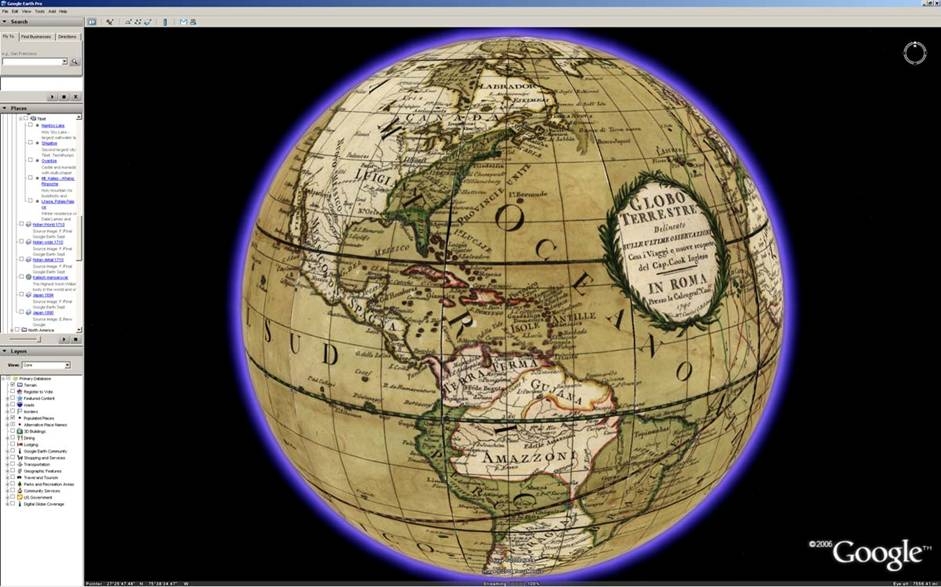 Google has updated Google Earth, but it takes you back in time. If you are using the latest version of Google Earth, go to the layers section and select Featured Content. Now find Rumsey Historical Maps.
Now you can see the world like those who saw it in 1790, or how Lewis and Clark saw it in 1814. I counted a total of 16 old world maps.
Very cool and worth a look!
google social+studies
Monday, November 13, 2006
Better than Google Earth?

http://www.flashearth.com/
Just found this site from EduBlog - it has a much better image of my home than any others I have found... one-stop shopping.
You can also link directly to what you found.
My House
I especially like that you can see the terrain better than on Google Earth.
Also, and perhaps the best aspect of Flash Earth is that it'll run on Windows 98 machines!!!
Monday, November 06, 2006
Graphic Organizers
This post was delievered straight to my inbox this morning. It was a forward of a forward all about graphic organizers. Copy the links, paste the links, and bam, I am done. Hope they help.
http://graphic.org/links.html
http://graphic.org/links.html
http://www.region15.org/curriculum/graphicorg.html (English and Spanish)
Friday, November 03, 2006
PowerPoint: Just Say No Clip Art
PowerPoint is a wonderful tool. If I have presentation to make, I always use it. It can turn a boring speech into a dynamic one. PowerPoint is also the main culprit behind Death by PowerPoint. Everyone has seen one of these presentations. Just look below...
 photo from Zach Graham
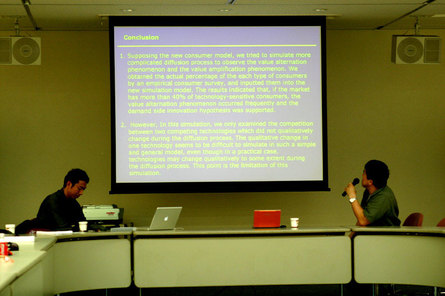 photo from Zach Graham
A ton of text on a slide is boring and has me reaching for a sodoku puzzle. Just remember less is more. Another thing that gets me in the sodoku mood is Microsofts Clip art. It served a great purpose back in the day. With photo sharing today, it should be banned.
On October 21, Boston broke the record for most lit jack lanterns. This record was formerly held by Keene, New Hampshire. Which one of these do you think would capture your audience.

Don't worry about the lack of text, remember less is more. Plus you want the people focusing and listening to you, not on your bad PowerPoint or a sodoku puzzle. If you really want them to have the details, give them a print out of your notes.
Now, where do you find this photos....
www.flickr.com
www.sxc.hu/
You can also google stock photos for a bunch more sites. Just remember to give credit to the owner.
On October 21, Boston broke the record for most lit jack lanterns. This record was formerly held by Keene, New Hampshire. Which one of these do you think would capture your audience.


Don't worry about the lack of text, remember less is more. Plus you want the people focusing and listening to you, not on your bad PowerPoint or a sodoku puzzle. If you really want them to have the details, give them a print out of your notes.
Now, where do you find this photos....
www.flickr.com
www.sxc.hu/
You can also google stock photos for a bunch more sites. Just remember to give credit to the owner.
iPod Buying Guide
Being in charge of technology for a school, I often get asked for recommendations. The last couple of Christmases it has been the iPod. So here is my 2006 updated version.
The iPod Shuffle

This is the most basic iPod. It has no screen, it just clips to your clothes. I think of this as a second iPod and is perfect if you love to listen to music while exercising. It only comes in one size, 1 GB which holds 240 songs. It is only available in aluminum.
The iPod Nano
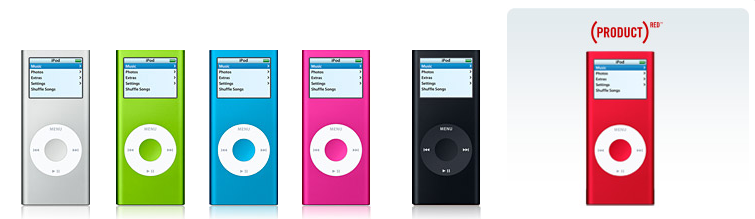
This is the middle of the road iPod and a great place to start. They come in three sizes and six colors, specs are below. These will display your photo, but does not do any video. These are flash based, so they can handle any exercise.
The 2 GB version costs $149.00 and will hold 500 songs. It only comes in aluminum.
The 4 GB version costs $199.00 and will hold 1000 songs. It comes in aluminum, green, blue, pink, and red.
The 8 GB version costs $249.00 (same as 30 GB iPod) and will hold 2000 songs. It comes in black and red.
The iPod

This is the top of the line iPod. It comes in two sizes and colors, specs are below. These will play TV shows and Movies bought in the iTunes Store, and even your own home movies and photos. You can also purchase games. These are hard drive based, which means you wouldn’t want to use this while jogging.
The 30 GB version costs $249.00 and will hold 7500 songs. It comes in black and white.
iTunes

When you buy an iPod you will need to download iTunes. iTunes is the management software for the iPod. Essentially, anything in iTunes will be put on your iPod when you hook it up. iTunes also has a built in store to purchase music (.99 a song/9.99 an album), audio books (price varies), TV shows (1.99 a show), and Movies (9.99-14.99). I love the software and it is very easy to use. I believe this is what has made the iPod so successful.
One important thing to remember, it is possible to have music on your iPod without spending a cent in the iTunes store. If you put a CD into your computer, iTunes can copy (rip) the CD to your hard drive. The next time you connect your iPod that CD will be transferred over. Every CD you own can be put on your iPod.
iTunes also has a wonderful selection of podcasts. A podcast is broadcast that you can subscribe to that is automatically updated. These are typically audio, but there are some video podcast now. Podcasts are typically free and you can find a podcast about anything.Where to Buy
Apple sets the prices of these, and rarely do you find a discount. Amazon.com and Sam’s may have a slightly lower price. Every iPod I have purchased, or helped purchase, has been from apple.com. They offer free shipping and are almost always in stock. The coolest thing about ordering from apple is the engraving. Apple will engrave the back of any of the iPods for free.
Tuesday, October 31, 2006
Google buys Jotspot
It seems Google just acquired jotspot. I had never heard of jotspot before. After a little searching it seems to be a pretty powerful wiki, much more than pbwiki. Of course they closed the registration, but you can put in your email address to be notified when it opens back up. I also found a link to a video tour of the site from google's cache, look at the bottom of the page. I must say I am impressed.Some of the features are sharing documents, group calendars, and spreadsheets. If you have gmail, you already have 2+ GB of storage space. Could this shape up to be the interface or front end of Google's office suite or Gdrive.
google
Monday, October 30, 2006
Back to School with the Class of Web 2.0

While I was doing some reading over the weekend I ran into this blog. This is the most comprehensive list of web 2.0 tools for education I have seen. It is actually a three part series. Part one focuses on organizing, grade books, resume building, and research. The focus is not just teachers, student web 2.0 strategies are also mentioned.
Part two looks at online office applications including word processing, presentations, diagrams, spreadsheets, and calendars.
The third and final part focuses on "real world" educational scenarios in blogging, photo/video sharing, podcasting, and wiki's.
Be sure to check out the comments too; lots of good links in there.
Image from http://www.francispisani.net/
web2.0 education k12
Friday, October 27, 2006
Science Podcasts - Gotta Minute

So you want to use podcasts to help your students learn science. But don't have time to listen through all the podcasts to see if they are worth while? Check out Scientific American Magazine. They offer a daily podcast called 60-Second Science. These are quick reports and commentary from the world of science. It only takes a minute!
These would be great for warm ups/bellringers or as a catalyst to journal writing. They are high interest as well, at least IMHO. The most recent (10/27) 60-Second Science podcast discusses vampires of New England.
You can listen to these podcast from their homepage or subscribe to them in iTunes (iTS link). Also published is a weekly Science Talk podcast (iTS link), where scientists and journalist discuss the latest developments is science and technology The homepage also features a blog, videos, and a place at ask a scientist a question.
science podcasts education k12
Thursday, October 26, 2006
Scary Stories
"To be buried while alive is, beyond question, the most terrific of these extremes which has ever fallen to the lot of mere mortality." From The Premature Burial by Edgar Allen Poe
Google's Book Search has made a collection of some of the greatest classic scary stories. You can find them at www.google.com/scarystories. The Legend of Sleepy Hallow, Dracula, and Frankenstein are just a few of the stories you will find. Because this is Google, you can search every word in each story. Plus, some of these books are in the public domain; look for the download button to save and print.
Google's Book Search has made a collection of some of the greatest classic scary stories. You can find them at www.google.com/scarystories. The Legend of Sleepy Hallow, Dracula, and Frankenstein are just a few of the stories you will find. Because this is Google, you can search every word in each story. Plus, some of these books are in the public domain; look for the download button to save and print.
Persuasion Map
The website Read Write Think offers a ton of free online student materials to support literacy learning. A cool one is The Persuasion Map, an interactive graphic organizer that lets students map out their arguments for a persuasive essay or debate. Student can do this on a computer and print it out. My only advise, make sure it printed before they close it; you cannot save these to work on later.
Monday, October 16, 2006
Principal Blogging Project
If you know of any principals interested in blogging please share this link--- http://principalblogs.jot.com/WikiHome
Original post here.
Technorati Tags: principal blogging
Original post here.
Technorati Tags: principal blogging
David Warlick's Keynote is Online Now!
The Keynote for the k12OnlineConference is online now!
http://k12onlineconference.org/
Technorati Tags: k12online06 k12online
http://k12onlineconference.org/
Technorati Tags: k12online06 k12online
Links from Newsletter Oct. 13th
Google for Educators
http://www.google.com/educators/index.html This is a wonderful resource! There are teacher guides to 12 Google products, examples of how educators are using them, and lesson ideas. You can also subscribe to the Google Teachers’ Newsletter on this page.
http://www.google.com/educators/index.html This is a wonderful resource! There are teacher guides to 12 Google products, examples of how educators are using them, and lesson ideas. You can also subscribe to the Google Teachers’ Newsletter on this page.
Web 2.0 Applications
Back to school with the class of Web 2.0 Part 1 Compilation of Web 2.0 applications. Red arrows indicate ones particularly suited for education.
Resume Tool
http://www.emurse.com/ Create resumes online or upload an existing one. Provides distributing tools and will keep track of who has seen it. You can also make your resume password protected or choose not to show personal information.
Color Palette Generator Tool
http://www.degraeve.com/color-palette/ Enter the url of an image and get the color palette (the 6 digit number beside the color is the Hex Value – this can be entered in Frontpage when you go to More Colors – you will see the top field asks for a hex value – type in the 6 digits and you will have that color!).
Just for Fun
http://www.sr.se/P1/src/sing/#
Friday, October 06, 2006
Links from Newsletter Oct. 6th
Learn something
http://www.internet4classrooms.com/on-line.htm Technology tutorials.
Up and Coming
http://k12onlineconference.org/ Online free conference Oct. 23-27 and Oct. 30-Nov. 3
Subject Areas
http://arcademic.altec.org/ Online games for basic math, language arts, vocabulary and thinking skills.
http://medtropolis.com/VBody.asp Virtual Body (English and Spanish versions).
http://www.goodcharacter.com/ Lots of information on character education.
Blogs
http://www.lifehacker.com/ “Lifehacker recommends the software downloads and web sites that actually save time.”
http://www.parenthacks.com/ "a collaborative weblog of practical parenting wisdom”.
Just for Fun
http://www.jacksonpollock.org/

Subscribe to:
Posts (Atom)


